

How to Generate and Apply Internal Links with Aomark Suite
Where to Find It
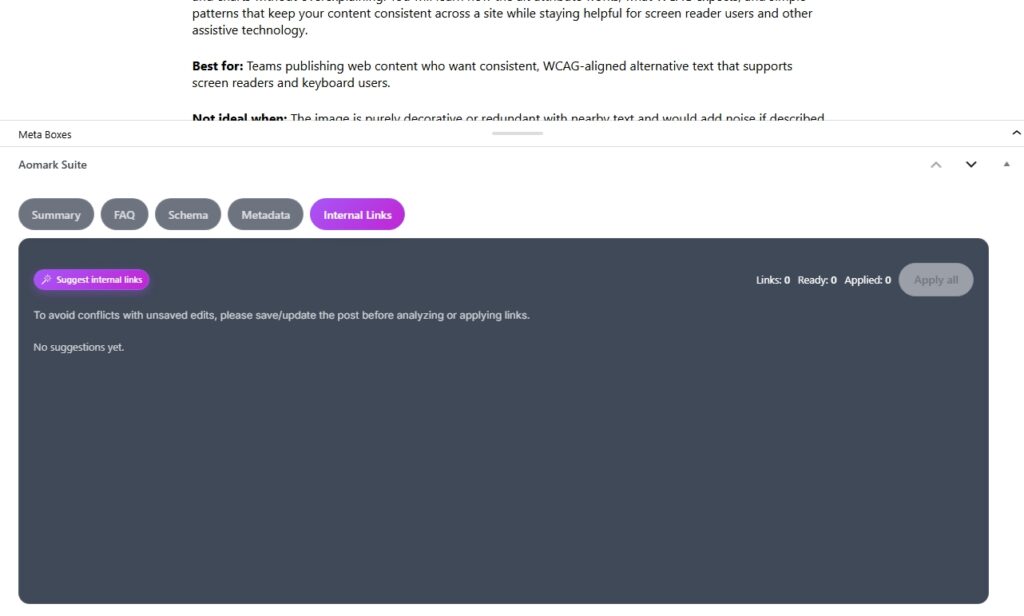
Open any post or page in your WordPress editor and scroll down to the Aomark Suite panel. Click the Internal Links tab.
Before You Generate
One important note before clicking anything. Save or update your post first. Aomark reads your published content to find linking opportunities, and any unsaved edits won’t be included in the analysis. The panel reminds you of this too.
Generating Suggestions
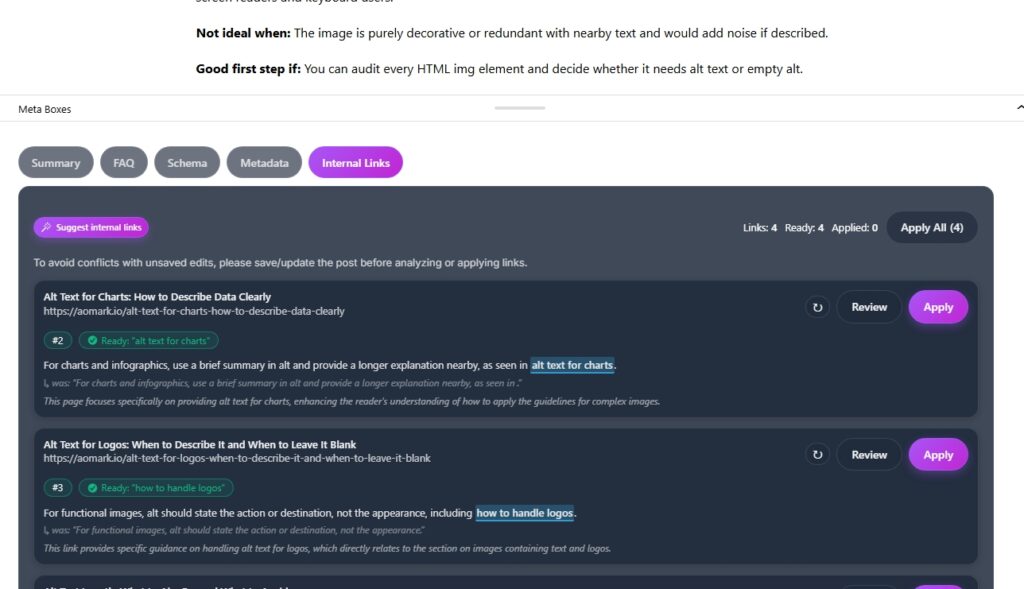
Click Suggest Internal Links. Aomark scans your post content and your site’s existing content to find relevant linking opportunities. Each suggestion shows the target page title, its URL, a snippet of your post content where the link would fit, and a confidence number showing how relevant the match is.
Reviewing a Suggestion
Before applying any link, click Review on a suggestion. This opens the review modal which shows you the full context of where the link will be placed, the target URL, and the anchor text Aomark plans to use.
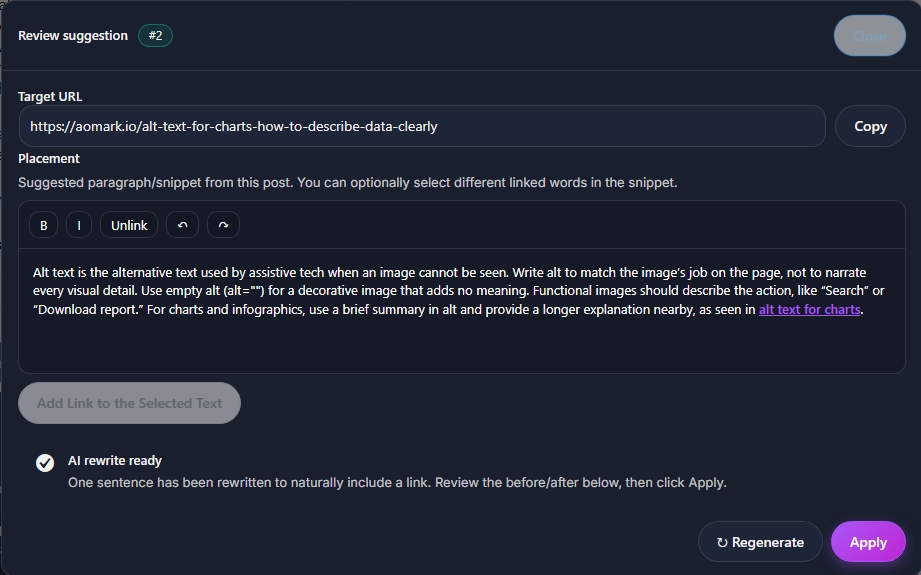
If the AI rewrite is ready you’ll see a before and after of the sentence. The original is shown in italics below, and the rewritten version with the link naturally embedded is shown above. Read both and make sure the rewrite sounds natural in context.
If you want a different anchor text or placement, you can edit it directly in the modal. If you want a completely fresh suggestion, hit Regenerate.
Applying Links
Once you’re happy with a suggestion, click Apply in the modal or directly on the card. The link gets written into your post content automatically. The counter at the top of the panel tracks how many links are ready, applied, and total.
You can also click Apply All to apply every suggestion at once if you’ve reviewed them all and they look good.

Next Steps
That covers the full post editor toolkit. Next up we move into Image SEO, starting with setting up automatic image renaming and alt text generation on upload.