

How to Generate FAQs with Aomark Suite
Where to Find It
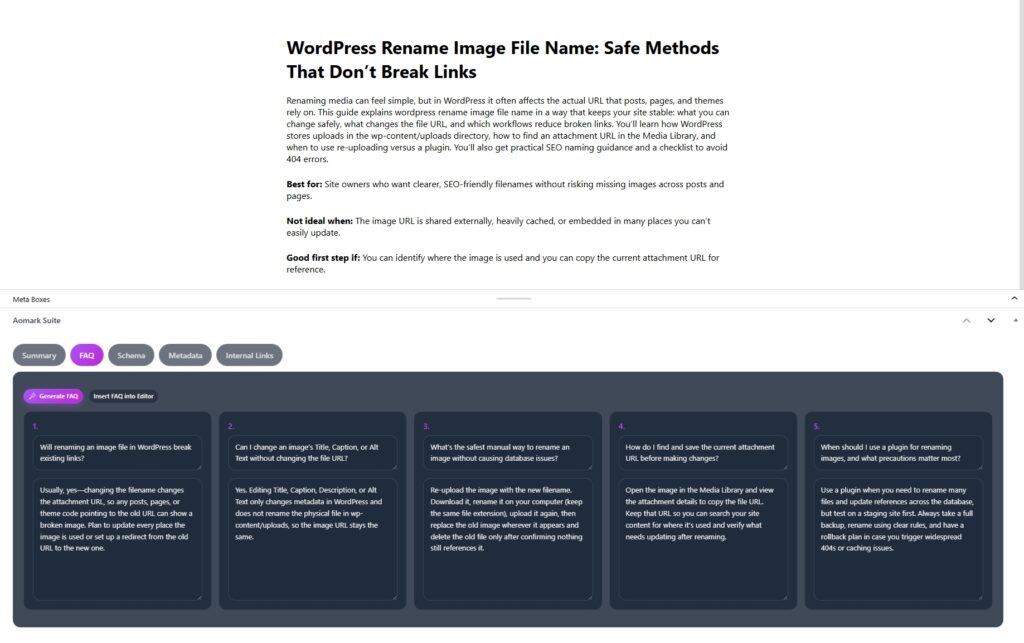
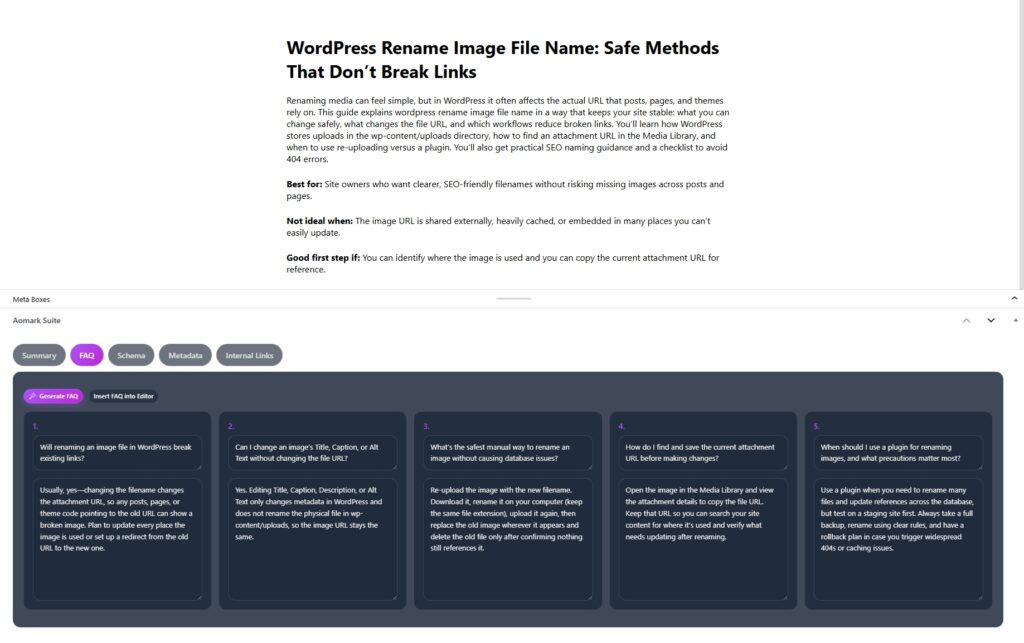
Open any post or page in your WordPress editor and scroll down to the Aomark Suite panel below the content area. Click the FAQ tab.
Generating the FAQs
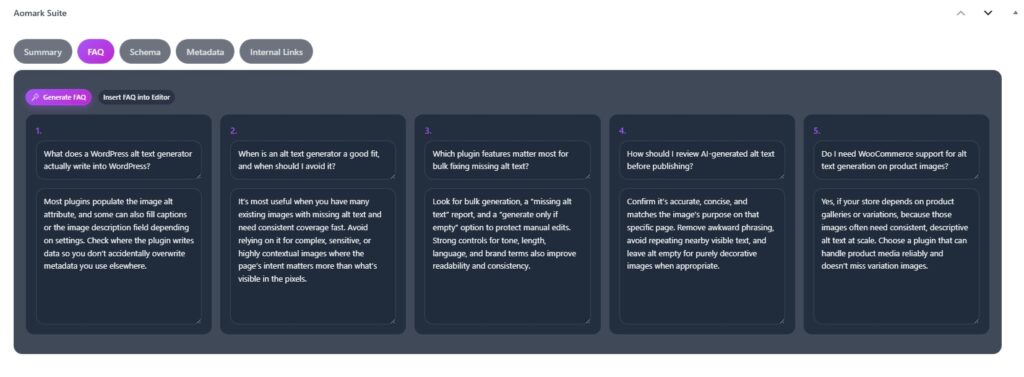
Like the summary tool, the AI reads your existing post content to generate relevant questions and answers. Make sure your post has content written before generating. Click Generate FAQ.
Aomark generates five FAQ cards. Each card shows a question on top and the answer below it. Both are editable directly in the card, so if a question is slightly off or an answer needs a tweak, just click into it and adjust.
Inserting FAQs into Your Post
When you’re happy with the results, click Insert FAQ into Editor. This drops the FAQ block directly into your post content at the current cursor position.
The inserted FAQ block includes proper FAQ schema markup automatically, so search engines can read it as structured data without any extra steps. This is what makes your FAQs eligible to appear as rich results in Google.
Next Steps
FAQs done. Next up is generating schema markup for the post itself, which works alongside the FAQ schema to give your content the best possible structure in search results.