




Best for: SEO writers and site owners planning page structure who want clear guidance on using H2 headings without overthinking.
Not ideal when: You need advanced technical SEO auditing for complex templates, JavaScript rendering, or large-scale taxonomy and internal linking.
Good first step if: You are outlining a page and want H2s to reflect main subtopics, improving readability and search intent coverage.
Call a pro if: Rankings and engagement are slipping and you suspect structural issues, content cannibalization, or indexation problems across multiple pages.
H1 vs H2 vs H3: What's the Difference in SEO
If you’ve ever stared at your outline and wondered how many h2 tags per page seo allows, you’re not alone. People hear “structure matters,” then assume there’s a magic number. There isn’t. But there are clear patterns that help readers scan, help Google understand sections, and help you avoid messy, repetitive pages. In this post, you’ll learn how to pick a sensible H2 count, how to separate H1, H2, and H3 roles, and how to keep headings useful without turning them into a keyword checklist. And yes, we’ll get practical with examples you can copy.
Quick Summary
- There’s no hard cap on H2s, but each one should earn its place with a clear topic.
- Aim for one main idea per H2, then use H3s for steps, examples, or edge cases.
- Don’t use headings as a dumping ground for repeated keywords or near-duplicate phrasing.
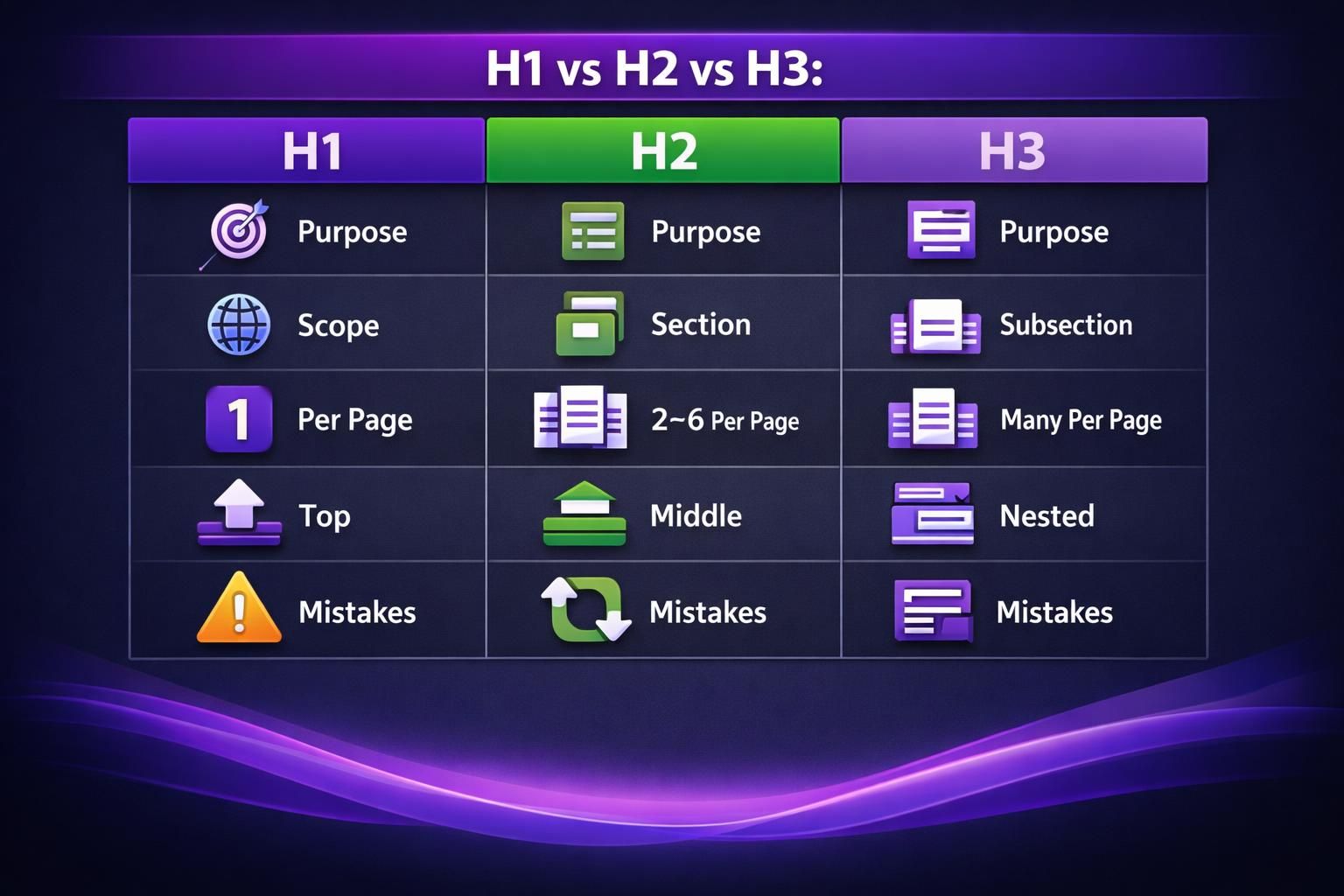
- Your H1 names the page, while H2s map the major sections and intent shifts.
- A clean heading outline improves scanning and reduces pogo-sticking from confused readers.
What Are H2 Tags and Why Do They Matter

Tags Are Section Headings That Break Your Page Into Major Chunks, Making it Easier for Users and Search Engines to Understand What’s Where. They Act Like Signposts. They Tell a Skimmer, “This is the Part About X,” Without Forcing Them to Read Every Paragraph.
For “email deliverability,” strong H2s might be “Authentication,” “List hygiene,” and “Content triggers,” not vague labels like “Tips.” H2s also guide writing: if you can’t explain what a heading covers in one sentence, it’s too broad or duplicative. They can also power jump links and improve accessibility when hierarchy stays logical.
Is There a Limit on H2 Tags
There’s no official limit to how many H2 tags a page can have, as long as they represent real sections. Search engines won’t penalize you for 12 H2s, but they can struggle when headings are thin, repetitive, or misleading.
In practice, the “limit” is usefulness. If an H2 introduces only a sentence or two, you may not need it. If several H2s mean the same thing, merge them.
A long beginner guide can justify many H2s, while a short product update may need none. Design also sets a practical cap: too many H2s can clutter a table of contents and overwhelm mobile readers. For a wider framework, compare your structure to on-page SEO checklist.
How Many H2 Tags Should a Blog Post Have
Use as many H2s as you need to cover distinct subtopics. For many posts, 4 to 8 is a helpful sanity check, not a rule.
Start with reader questions. List what someone must understand to feel “done” with the topic, then turn those into H2s. Put supporting steps, examples, and caveats under each H2.
Example for a content audit: which pages to review, what metrics matter, how to spot decay, what to update first, and how to measure impact. That’s five clear sections with different intent.
Decide quickly: add an H2 when you switch to a new question or task, merge when two sections share the same goal, drop it when it’s a short aside, and use H3s for detail within the same section. During refreshes, splitting bloated sections pairs well with updating older posts.
H1 vs H2 vs H3: What's the Difference in SEO
Think of it like this:
- H1: what the whole page is about
- H2: the main chapters
- H3: the subpoints inside a chapter
For example, on a “home espresso” guide, the H1 could be “Home Espresso Basics.” An H2 could be “Dialing in grind size.” Then H3s could be “Signs it’s too fine” and “Signs it’s too coarse.”
Now, about the common question: how many h1 and h2 tags per page should you use? Use one H1 in the main content area. Many CMS themes already output a single H1 for the post title. Multiple H1s usually come from templates, widgets, or page builders.
Multiple H1s won’t automatically tank rankings. But they can blur the outline. They also confuse accessibility tools. So it’s a “cleanliness” issue that’s worth fixing.
H2s can repeat a format, but not the same idea. If you have “Benefits of X” and “Advantages of X,” that’s probably one section. If you have “Benefits for beginners” and “Benefits for teams,” those can be separate. The difference is intent.
And when you’re auditing this, watch for technical conflicts. Canonical issues or duplicated templates can make headings harder to interpret at scale. If that’s a concern, canonical URL basics is worth reviewing before you blame headings.
How to Use Heading Tags Without Over-Optimizing
Write headings for humans first, then align them lightly with the phrases your audience actually uses. Over-optimized headings read like near-duplicate keyword variations, feel spammy, and force awkward repetition.
A practical rule: don’t repeat the exact keyword in every H2. Use natural phrasing and only use synonyms when they fit. Keep headings specific enough that you can predict what content belongs under each one.
Instead of repeating “How many H2 tags per page,” use distinct angles like “When more H2s help scanning,” “When fewer H2s improve flow,” or “How to outline before you draft.”
Avoid headings that exist only to insert keywords, questions you never answer, repeated lead-in wording, unnecessary modifiers, or skipping levels for styling.
Troubleshoot by reading only your headings as an outline. If it sounds like a table of contents, you’re fine. If it sounds like a keyword list, rewrite. If the structure is fine but the post feels weak, improve connections with internal linking in WordPress.
Heading Structure Checklist for WordPress Posts
A solid WordPress heading structure uses one visible H1, clear H2s for major sections, and H3s for supporting detail. WordPress themes, reusable blocks, and page builders can accidentally break hierarchy by inserting headings for styling.
Example: a callout block may add an H2, creating a fake “chapter.” Change it to paragraph styling and reserve headings for real sections.
Pre-publish checklist: ensure the title is the only H1, make each H2 a unique section goal, keep H2s specific, use H3s for steps or edge cases, don’t skip levels, and check any auto table of contents. Scan on mobile to see if headings feel too frequent.
If you clone layouts, watch for hidden headings copied inside duplicated blocks. If that’s common in your workflow, duplicate a WordPress page can help.
Conclusion
There’s no magic number for how many h2 tags per page seo “wants,” but there is a clear standard for clarity. Use H2s to mark real topic shifts. Keep each one focused on a single reader need. Support with H3s when you’re adding steps or exceptions. If your outline reads cleanly on its own, you’re on the right track. Your next step is simple. Audit one existing post’s headings, then rewrite any H2 that feels vague, duplicated, or purely keyword-driven.