




Alt text is the text alternative stored in the HTML alt attribute that explains an image to people who can’t see it and to some search engines. Getting alt text length right matters because screen reader users often hear it read aloud in context, and long, unfocused descriptions can be tiring or confusing. This guide explains the practical target for alt text length, what standards like WCAG 2.1 actually require, and how to vary length by image purpose. You’ll also see best practices, examples, and a workflow for auditing and fixing image alt text length across a site.
Best for: Teams writing alt text for many images who want a consistent length that stays useful for screen reader users.
Not ideal when: The image is complex and needs a separate long description or data table to convey full meaning.
Good first step if: You can identify each image purpose and rewrite only the highest-impact pages with missing or bloated alt.
Call a pro if: Your site has legal compliance needs, heavy infographics, or repeated accessibility issues uncovered in an accessibility audit.
Quick Summary
- Aim for a concise text alternative that communicates the image’s purpose and key information without extra filler.
- Many teams use a 125-character guideline because it encourages clarity and reduces screen reader fatigue.
- HTML doesn’t impose a meaningful alt text max length, but usability does, especially on busy pages.
- Decorative image content should typically use empty alt (alt=””) so it’s skipped by assistive tech.
- Complex image content often needs a long description, nearby text, or a data table instead of forcing everything into alt.
Quick Answer: Recommended Alt Text Length
Aim for a short phrase or one clear sentence that states the image’s purpose and essential details. Many teams use 125 characters as a helpful ceiling, not a hard rule, to encourage prioritization. If it reads quickly aloud, it likely fits. If you’re listing every visible detail, it’s too long. For more context, add nearby copy, a table, or a long description instead.

Character vs Word Guidance (and Why 125 Chars is Common)
Character limits are easier to standardize than word counts, so teams often use a 125-character target. It’s usually enough for one complete idea while staying scannable when read aloud. Treat it as an editing prompt, not a strict cutoff.
What Standards Actually Say About Alt Text Length
WCAG 2.1 requires a text alternative for non-text content, but it does not define an ideal alt text length. Success Criterion 1.1.1 focuses on providing equivalent meaning, function, or intent based on context. That shifts the work from counting characters to matching purpose. For SEO, concise accuracy helps, but accessibility comes first. Apply shared conventions from your content guidelines library across templates.
WCAG/HTML: No Strict Max, but Keep it Concise
HTML doesn’t set a strict maximum for alt text, and WCAG doesn’t prescribe one either. The practical limit is usability: long alt interrupts reading, especially across many images. Keep alt concise, and move extended detail into adjacent copy or long descriptions.
How to Choose the Right Length by Image Type
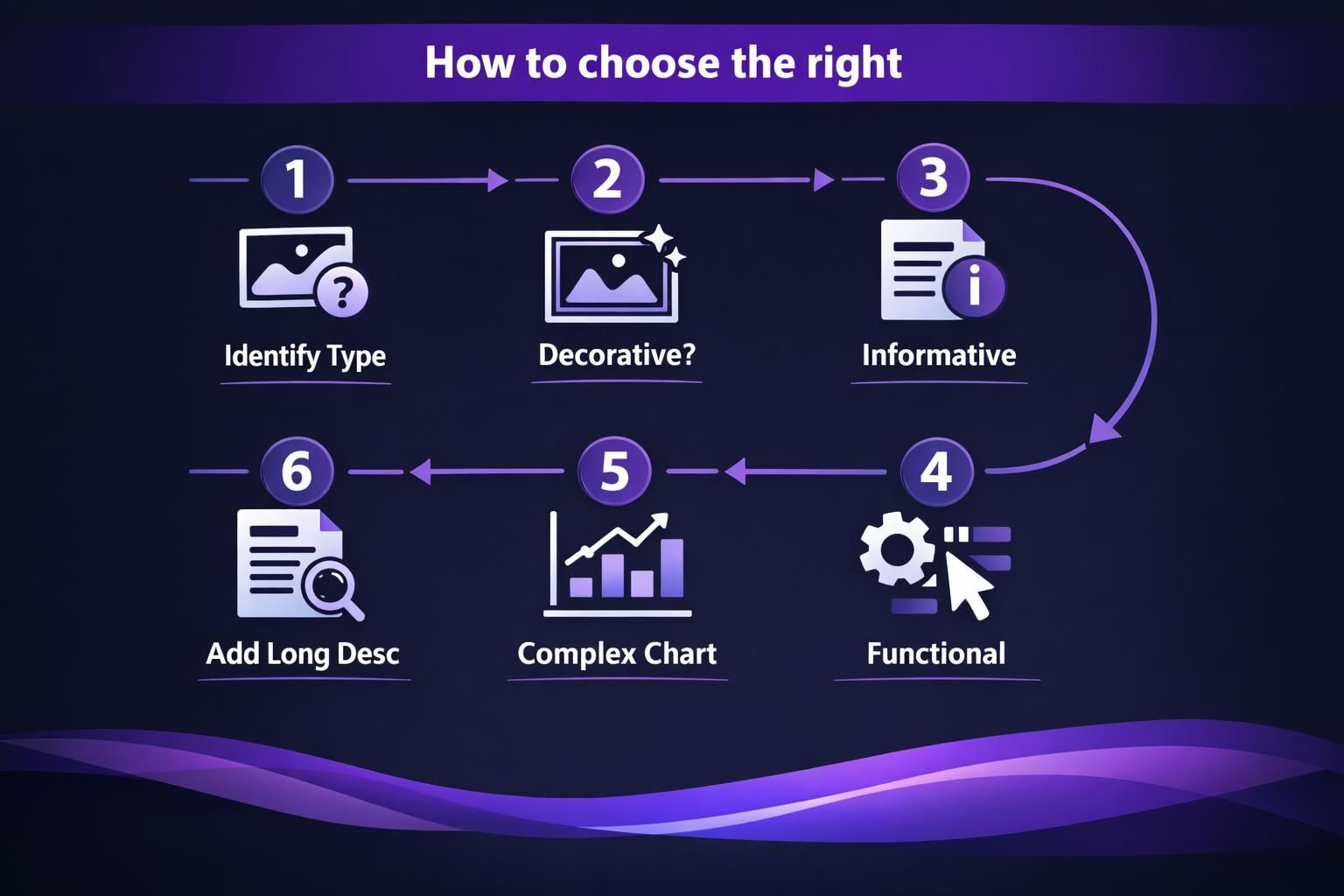
Choose alt text length based on the image’s job on the page, not its size. Use shorter alt for supportive visuals and longer alt only when the image adds unique information not present in text. Use a substitution test: if the image disappeared, what must a reader know to keep the same meaning or complete the task? Document rules in your step-by-step tutorials.
Informative Images vs Decorative Images
Informative images need alt that communicates the key information or context the image adds. Decorative image elements should usually have empty alt (alt=””) so a screen reader skips them, reducing noise, as outlined in our guide on alt text for decorative images. If the same idea is already covered in the surrounding paragraph or caption, keep alt short or consider whether the image is effectively decorative in that context.
Complex Images (Charts, Infographics) and When to Use Long Descriptions
Charts and infographics rarely fit into usable alt without becoming a wall of text. Use alt to name the visual and state the main takeaway, especially when considering how to describe data clearly. Then provide a long description nearby, supporting body text, or a data table with values.
Alt Text Length Best Practices (What to Include and Avoid)
Good alt text length means including only what users need to understand the image’s purpose in context. Lead with the action, object, or message, plus distinguishing details that change meaning. For functional or linked images, describe the function or destination, not the visuals. Avoid repeating nearby headings, copy, or labels. Keep standards consistent through your SEO writing tools.
- Include: purpose, key identifiers, essential context.
Avoid “Image Of,” Keyword Stuffing, and Duplicate Captions
Skip “image of” because screen readers already announce images. Avoid keyword stuffing; it makes alt unnatural and hurts trust. Don’t copy captions verbatim. Captions can add narrative or credit; alt should convey purpose or function efficiently.
Examples of Good Alt Text at Different Lengths
Effective alt text is as short as possible while still complete for the context. A product grid may need key identifiers, while an icon may need only the action. Compare alt to nearby headings, names, and captions to remove repetition. If the page already says “Blue running shoes,” focus alt on what’s unique in the image. Adapt patterns to your writing style guides.
Product Photos, Icons/buttons, People/events
Product photos: be specific, like “Black leather ankle boots with side zipper.”
How to Audit and Fix Alt Text Length at Scale
Audit alt text at scale with automated checks plus targeted human review. Export an image inventory, then flag missing alt, empty alt that should be descriptive, and overly long or repetitive strings. Group issues by template type (product cards, blog heroes, icons) and fix patterns, not one-offs. Standardize this workflow across your main blog hub.
CMS Checks, Character Counting, and QA Workflow
Use CMS rules or checkers to flag blanks, duplicates, and extreme character counts. In QA, read alt with a screen reader mindset: does it interrupt flow, repeat nearby text, or miss a linked image’s function? Keep approved phrases for common icons, and require manual review for complex uploads.
FAQ About Alt Text Length
Alt text length questions usually come down to two things: what the user needs, and what the page already provides. If your alt feels long, first remove repetition with headings, labels, and captions, then reduce to the single point the image must convey. If it still feels long, you likely need a different pattern, such as moving detail into an image description paragraph, adding a data table for charts, or providing a long description section with alt text examples. Missing alt on functional image elements is typically more urgent than slightly long alt on decorative content, because it can block navigation and tasks. If you’re unsure, test by reading the page linearly and listening for friction or confusion.
Does Google Have an Alt Text Limit?
Google does not publish a strict alt text length limit that authors must follow, and the HTML alt attribute itself isn’t constrained in a way that creates a universal safe maximum. Practically, shorter, descriptive alt tends to work better for usability and clarity. Focus on accurate meaning and natural language rather than trying to hit a specific maximum.
Conclusion
The best alt text length is the shortest text alternative that still communicates purpose, key information, and function in context. Use the 125-character guideline as a helpful editing constraint, rely on empty alt (alt=””) for decorative image content, and add long description support for complex visuals. If you standardize these decisions, your site’s alt text length will stay consistent, accessible, and easier to maintain over time.