




A good wordpress plugin for 301 redirects saves you from slow, messy fixes after you change URLs. You’ll keep SEO signals, avoid 404 errors, and make migrations calmer. The key is choosing a plugin that matches how you work. Some are perfect for quick manual rules. Others shine for bulk redirects and pattern matching. In this guide, you’ll learn when a 301 is the right HTTP status code, what features actually matter, and how to set up redirects safely. We’ll also cover advanced cases like regex and domain moves, plus quick troubleshooting when a rule won’t fire.
Best for: Site owners who change permalinks, prune content, or migrate domains and need consistent redirect rules without editing server files.
Not ideal when: You can control .htaccess or Nginx config and prefer server-level rules for very high-traffic sites.
Good first step if: You’re seeing 404s in logs and want to map old URLs to new slugs fast.
Call a pro if: Redirect chains, loops, or mixed http/https rules are causing crawling issues across thousands of URLs.
Quick Summary
- A 301 redirect is the standard permanent move, while a 302 redirect signals a temporary change.
- Pick a redirect manager with 404 tracking, redirect logs, and easy rule editing.
- Bulk CSV import matters most during migrations and large permalink restructures.
- Regex and query parameter handling help when old URLs follow patterns.
- Validate results with a browser test and a crawl to catch chains and loops.
What a 301 Redirect is (and When You Need One)
A 301 redirect permanently forwards one URL to another for users and crawlers. Use it for lasting URL changes like /services/seo/ to /seo-services/. Use 302 for temporary tests. Redirect deleted content to the closest replacement.
Common SEO and Site-change Scenarios
You need 301s when you change permalinks, merge posts, or move to a new domain. For example, a blog category rename can break internal links and external backlinks. A redirect rule keeps those visits from turning into a 404 error.
What to Look for in a WordPress Plugin for 301 Redirects
Choose a plugin that’s fast, auditable, and easy to edit later. It should support simple manual entries plus regex for edge cases. A WordPress-admin UI helps editors manage redirects. Also ensure it supports multiple status codes, including 302.
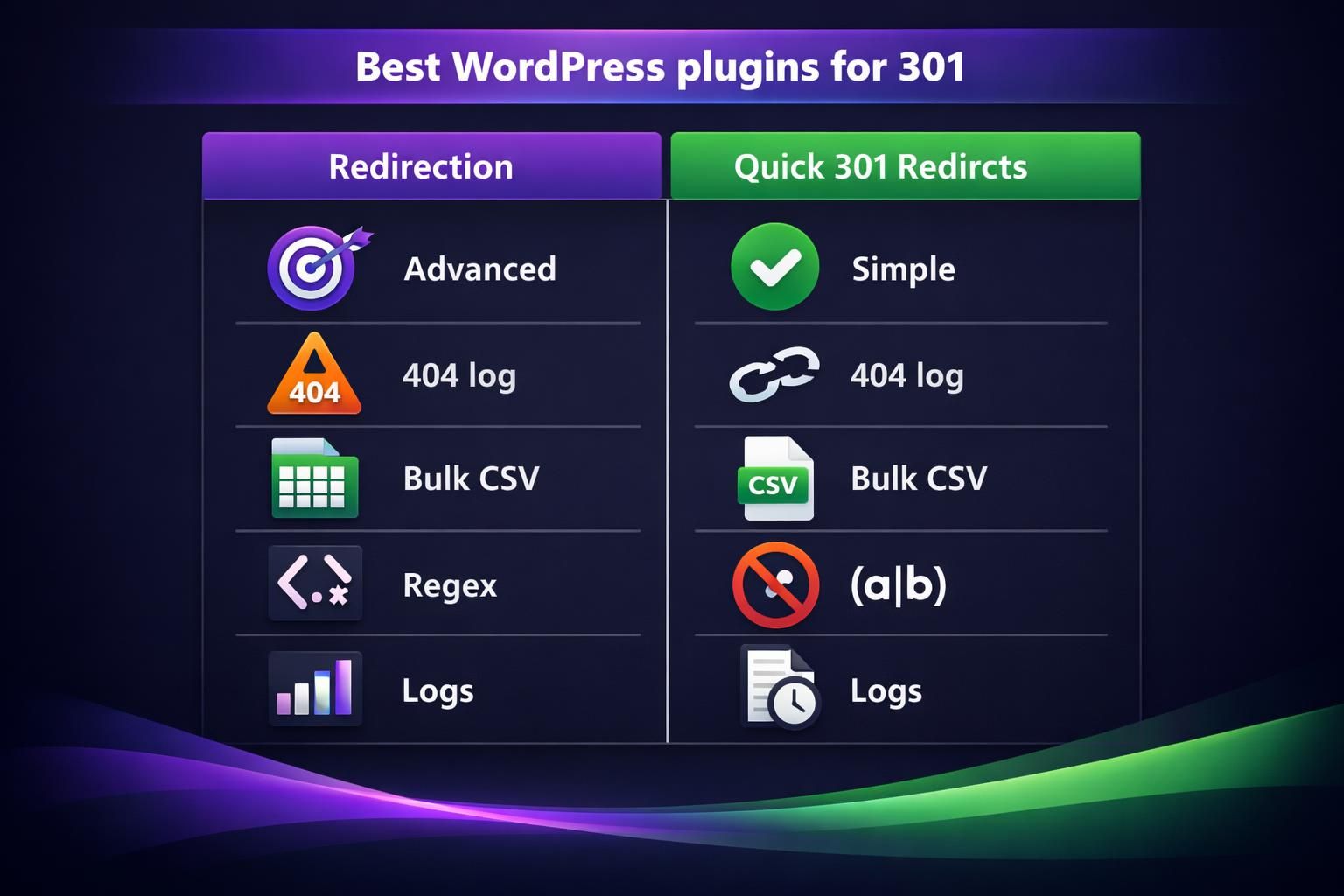
Must-have Features (404 Logging, Bulk Import, Regex, Auto-redirects)
Must-haves are 404 error logging, bulk redirects, and import redirects via a CSV file. Regex support matters when many URLs share a structure. For example, a redirect log with a hit counter, referrer, and timestamp helps you spot stale rules.
Performance, Compatibility, and Safety Considerations
Pick a plugin that adds minimal overhead and works on Apache or Nginx. Some write to .htaccess; others run via PHP. Role-based permissions help restrict redirect edits to admins, reducing accidental site-wide mistakes.
Best WordPress Plugins for 301 Redirects (Quick Comparison)
Redirection is the safest default for most sites because it balances features and usability. Quick 301 Redirects fits teams that live in spreadsheets and want fast bulk imports. For example, both can handle basic 301 redirect WordPress needs, but their workflows differ.
| Plugin | Best for | Strengths | Limits |
|---|---|---|---|
| Redirection | ongoing SEO maintenance | 404 log, regex, logs | more options to configure |
| Quick 301 Redirects | bulk mapping | simple CSV workflows | fewer analytics features |
If you’re also auditing broken links, pair redirects with a crawl workflow like scan internal link health.
Best for Most Sites: Redirection
Redirection offers visibility into what’s breaking and why. It includes a redirect manager, 404 error logging, and redirect logs, so you can spot hit URLs and adjust targets.
Best for Bulk CSV Workflows: Quick 301 Redirects
Quick 301 Redirects fits teams that mainly map many old URLs to new ones. It supports bulk imports and quick edits. During a permalink change, import a CSV, then verify the top landing pages resolve cleanly.
How to Set up 301 Redirects in WordPress (Step-by-step)
Install a redirect plugin and open its rules screen in WordPress admin. Create page-to-page or pattern rules, starting with high-traffic 404s. Save, then test incognito and clear caches. Connect Search Console via connect Search Console.
Create a Single Redirect
Use a single redirect for a one-off URL change. Enter the source path, the destination URL, and choose 301. Example: /about-us/ to /about/. Test that it’s one hop and not part of a chain.
Bulk Upload/import Redirects (CSV) and Validate
Bulk import helps when many slugs change. Export old URLs, map new targets, then import a CSV. Validate by sampling about 20 URLs, including trailing slashes. Crawl the site afterward to find loops and misses.
Advanced Redirect Setups (When Basic Rules Aren’t Enough)
Advanced rules handle patterns that are tedious to manage manually. Use regex and conditions to cover edge-case 404s and tricky query parameters. This is also where you choose plugin versus server config; complex Nginx rules may belong at the host level.
Wildcards/regex Patterns and Query-string Handling
Regex redirects groups of URLs using pattern matching. Query-string rules decide whether to pass, ignore, or match parameters. Example: /blog/(.*) to /resources/$1 while keeping UTMs. Test carefully; typos can create loops.
Redirects During Migrations, Permalink Changes, and Domain Moves
During migrations, map old URLs to the new structure, then handle domain changes with site-wide rules. Apply http→https, then www decisions, then path redirects. Keep one step per rule to avoid chains.
Troubleshooting 301 Redirects
Most issues come from caching, rule order, or wrong source paths. Verify the exact URL, including trailing slash and case. Check .htaccess, CDN, and plugin conflicts. Prevent chains by redirecting A directly to C.
Conclusion
The best approach is choosing a plugin that matches your workflow, then keeping rules tidy and tested. Start with your highest-impact 404s, validate each redirect hop, and log everything you change. If you’re migrating, plan bulk imports and pattern rules before launch day. With the right wordpress plugin for 301 redirects, you’ll spend less time chasing broken links and more time shipping clean site updates.