




Header tags SEO is one of those on-page basics that keeps paying off when you do it with intent. You’re not just “formatting” a post. You’re telling Google, and your readers, what the page is about and how ideas connect. In this guide, you’ll learn what heading tags actually are in HTML, how they differ from the title tag, and how to build a clean H1 to H3 structure. We’ll also cover keyword use without stuffing, common mistakes from CMS templates, and a few practical outlines you can copy.
Best for: Content pages that need clearer topic organization, better scannability, and fewer “what is this section about?” moments.
Not ideal when: Your template controls headings and you can’t change output without touching theme or builder settings.
Good first step if: You’re updating existing posts and want fast wins by fixing the H1, then aligning H2s to search intent.
Call a pro if: Your site has missing H1s sitewide, broken templates, or headings rendered as non-heading elements in production.
Quick Summary
- Heading tags (H1 to H6) create a visible outline that matches your content’s real structure.
- A strong H1 states the page’s main topic, while H2s map major subtopics and H3s support them.
- The title tag is a SERP-facing label, but headings guide on-page relevance and reading flow.
- Keep keywords in headings when they fit naturally, not because you “need” them everywhere.
- Auditing headings often reveals template issues, duplicate section titles, and skipped levels.
What Are Header Tags in SEO?
Header tags are HTML headings (H1 through H6) that define page structure for users, crawlers, and assistive tech. Think of them as an outline: H1 states the main topic, while H2s and H3s organize supporting sections.
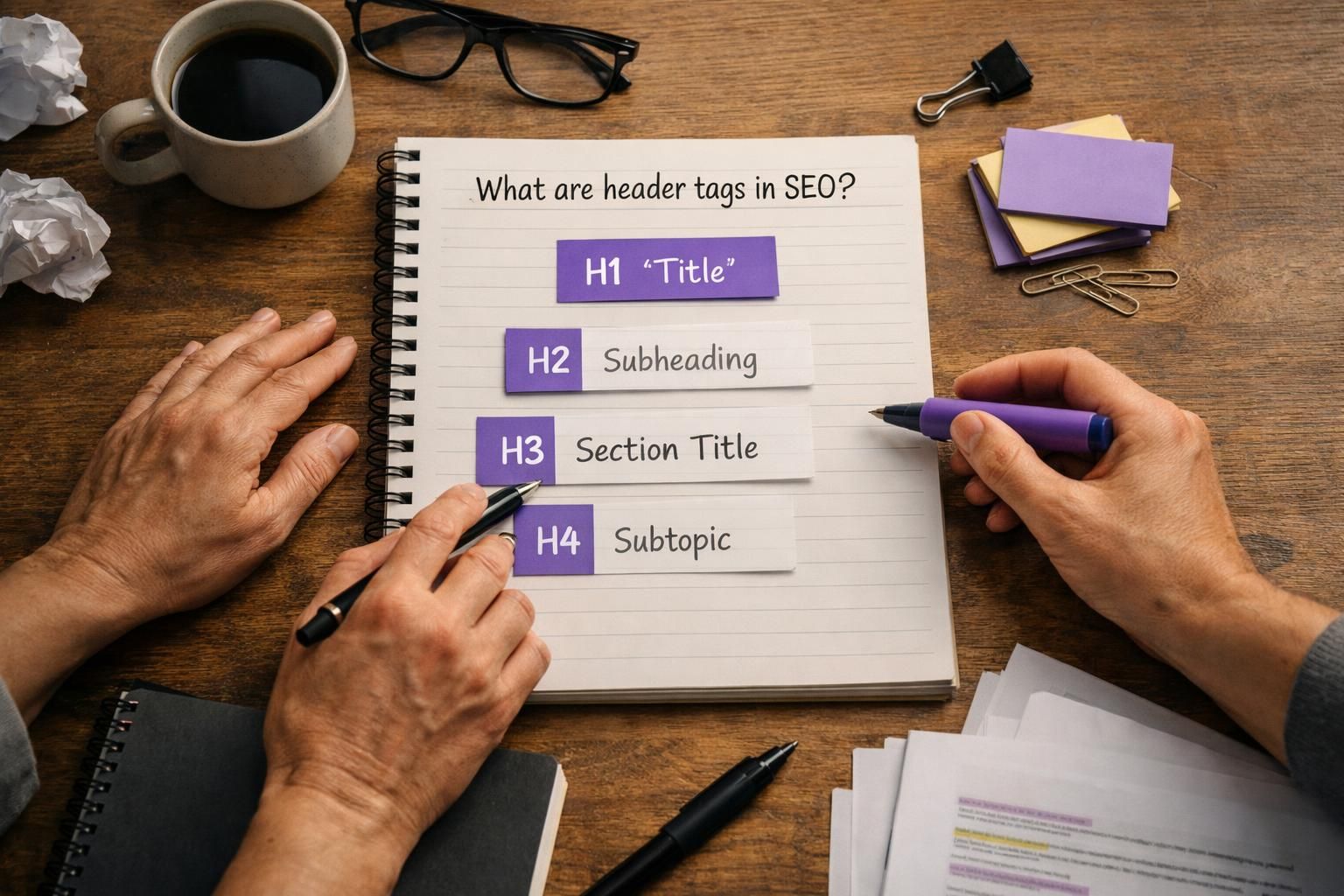
Example: a “Cold brew coffee guide” uses H1 for the guide, H2s for grind size and steep time, and H3s for bitterness fixes. In editors, headings are dropdown styles, but the underlying HTML tag matters most.
Header Tags Vs. Title Tag (and Why it Matters)
The title tag is mainly for the SERP and browser tab, while heading tags are on-page structure. They can match, but they don’t have to. For example, your title tag might be “Cold Brew Coffee: Ratios, Time, and Gear,” while your H1 is “Cold Brew Coffee Guide.” That keeps the page clear without forcing repetition.
Why Header Tags Matter (SEO, UX, and Accessibility)
Header tags improve relevance, usability, and accessibility. Search engines use headings to understand section topics, readers use them to scan, and screen readers use them as navigation landmarks.
Example: H2s like “Materials,” “Installation,” and “Maintenance” let DIY readers jump to what they need; bold text won’t. Headings rarely boost rankings in isolation, but they improve clarity, engagement, and on-page relevance, which supports SEO outcomes.
How Headings Help Search Engines Understand Topical Structure
Headings act like signposts for content relevance and section purpose. They help Google map subtopics and relationships across the page. For example, an H2 called “Shipping options” with H3s for “Standard” and “Express” is clearer than one long block. It can also support featured snippet formatting when lists sit under a descriptive heading.
How Headings Improve Scannability and Screen-reader Navigation
Headings improve scannability because your eyes can scan section titles faster than body text. They improve accessibility because a screen reader can jump by heading level. For example, a user can move through H2s to find “Returns” on an ecommerce FAQ page. That’s real UX, not just “SEO stuff.”
Header Tag Hierarchy Best Practices (H1–H6)
Use H1 for the page topic, H2 for primary sections, and H3 for subsections under an H2. Use H4+ only when the outline truly needs depth; most posts don’t need H5 or H6, and extra levels often signal a weak structure.
Example: H1 recipe name; H2 Ingredients, Instructions, Variations; H3 under Variations for “Dairy-free” and “High-protein.” Ensure your builder outputs real heading tags, not divs. If you’re auditing templates, review topic cluster setup.
How Many H1s Should a Page Have?
One H1 per page is the safest default. While HTML can allow multiple H1s, templates often create competing “main topics.” Example: an H1 in the header plus another for the article title confuses structure.
Should You Avoid Skipping Heading Levels?
Usually, yes. Skipping levels breaks the outline for readers and assistive tech. An H2-to-H4 jump suggests missing structure. Example: H2 “Setup” should use H3 “Step-by-step” before detailed steps. Bend this only when a CMS forces it.
Keyword Usage in Headings (Without Over-optimizing)
Use keywords in headings to improve clarity and relevance, not to repeat phrases. Forcing the same keyword into every H2 reads robotic and can look like stuffing.
If targeting “running shoes,” avoid “Running shoes sizing/cushioning/support.” Prefer “Sizing,” “Cushioning,” and “Stability and support” on a clearly about-running-shoes page. Draft headings for humans first, then add specificity. Test small edits and track impact in Search Console. To streamline reporting, connect Search Console helps.
Writing Natural, Descriptive Headings That Match Search Intent
Write headings that match the question behind the query. For “how to” intent, use “How to clean X” or “Steps to set up Y.” For comparisons, use “X vs Y” sections. Use formulas as guidance, not templates.
Common Header Tag Mistakes (and How to Fix Them)
Most header tag mistakes happen when headings are used for design instead of structure, so pages look fine but read poorly to crawlers and assistive tech. Templates also repeat generic headings across many pages, making content feel interchangeable.
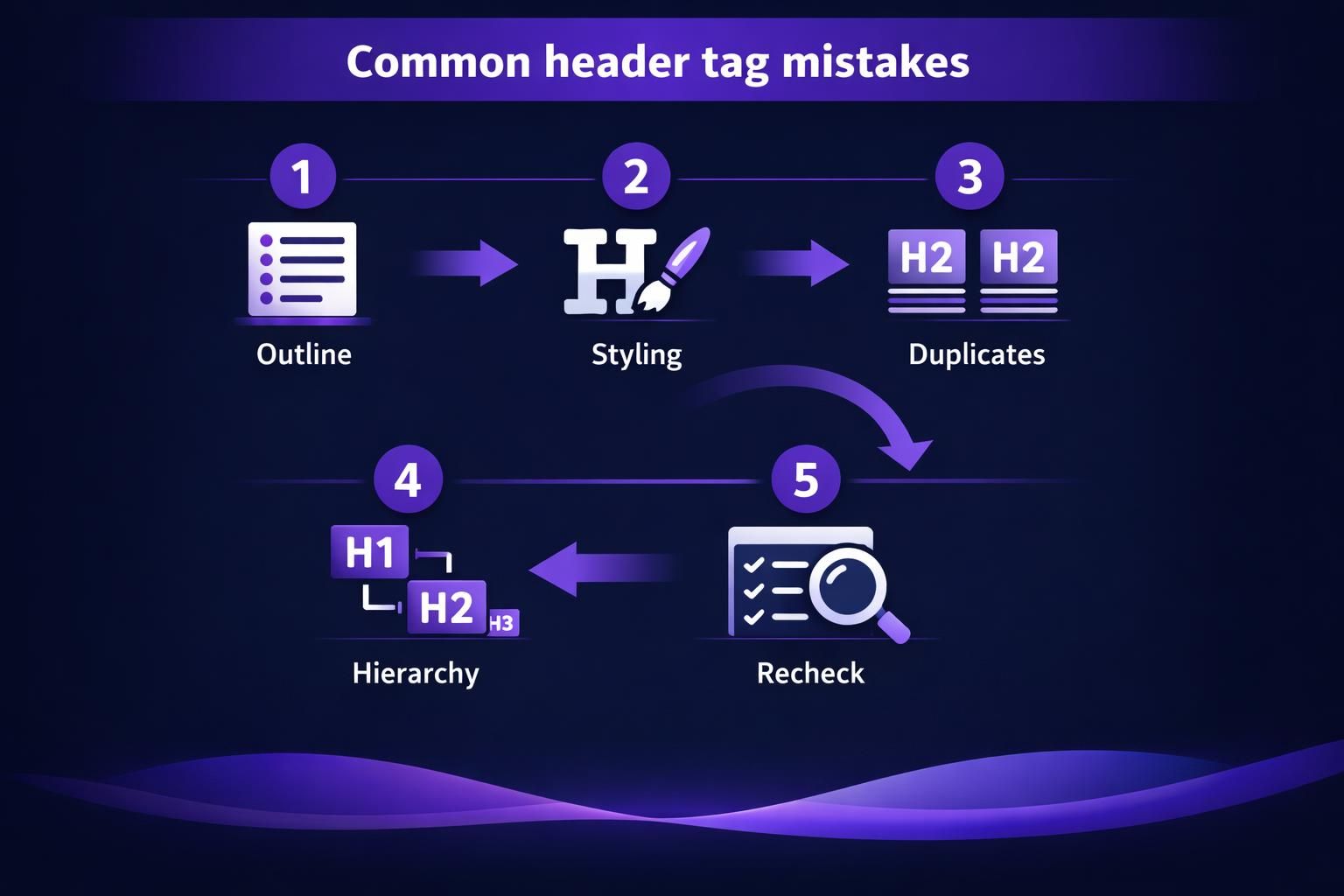
Example: every service page uses H2s like “What we do,” “Why choose us,” and “Contact.” Not structurally wrong, but weak for relevance. Fix this at the template and content level, not just one post. Pair heading cleanup with scan internal links.
Using Headings for Styling Instead of Structure
Don’t choose headings for size. Using an H2 just because it looks bigger pollutes structure. Style with CSS instead. Example: a sidebar widget title set as H2 should be a styled paragraph or an appropriately low-level heading.
Duplicate or Boilerplate Headings Across Pages
Boilerplate headings are fine
Practical Examples: Good Vs. Bad Heading Structures
A good structure is clear even if you only read headings. A bad one is vague and hides intent.
Bad local plumbing outline:
- H1 Plumbing Services
- H2 Welcome
- H2 What we offer
- H3 Service 1
- H3 Service 2
Better:
- H1 Drain Cleaning in Austin
- H2 Common drain problems we fix
- H2 Methods we use
- H3 Snaking vs hydro jetting
- H2 What to check before booking
Systematize by saving outlines. generate a post summary can keep scope aligned.
Quick Header Tags SEO Checklist
Use this checklist before publishing and during updates to catch template drift fast.
- Use one descriptive H1 for the page’s main topic.
- Write H2s as clear section promises, not filler like “Overview.”
- Add H3s only to support the H2 directly.
- Keep hierarchy consistent; don’t jump from H2 to H4.
- Remove headings used only for styling and replace with CSS.
- Add keywords naturally; avoid repetitive phrasing across headings.
- Ensure the hero headline matches intent, even if it’s not the H1.
- Scan for duplicate boilerplate headings on similar pages.
- Verify tags in the CMS and the live front end using an inspector.
For larger audits, use bulk tools helps spot repeated issues.
Conclusion
You’ll get more value from headings when you treat them as structure, not decoration. Keep one clear H1, build logical H2 sections, and use H3s only when they truly belong under a parent section. Then write headings like you’re answering real questions, not stuffing keywords. Do that consistently, and your header tags SEO work will support better relevance, better UX, and cleaner accessibility signals.