




Your blog post title does two jobs at once. It has to earn the click and help search engines understand the page. That’s why blog post title ideal length matters more than most people think. Title length affects how your headline displays in search results. It also affects how clearly your topic comes through. And it can even affect whether Google rewrites your title. In this post, you’ll learn a practical target range for length, what happens when you go long or short, and how to write titles that stay readable and stable in search.
Best for: Writers who want a clear title length target that balances rankings, clicks, and clean display in search results.
Not ideal when: Your brand style requires ultra-short headlines or your content format relies on long, descriptive naming conventions.
Good first step if: You already have a working title and want to trim it without losing the main keyword and intent.
Call a pro if: Google keeps rewriting your titles across many pages or your site has inconsistent title tags and templates.
Quick Summary
- Aim for a readable title that fits common search displays without truncation.
- Put the main topic early, then add the qualifier or angle later.
- Too-long titles can get cut off and may invite Google to rewrite them.
- Too-short titles often lack context, which can hurt relevance and clicks.
- Keep your H1 and title tag aligned, but not necessarily identical.
- Use a quick checklist before publishing to catch avoidable issues.
Why Title Length Matters for SEO
Title length matters because it affects relevance signals, click behavior, and how your headline displays in search. Google and users scan quickly, so the topic must appear early, with enough detail to match the query.

Longer isn’t automatically better, and shorter isn’t automatically clearer. The goal is clarity within the visible space: lead with the core topic, then add one helpful modifier that earns the click.
Example: “Blog Post Title Ideal Length” states the topic; “How Long Should Your Title Be for SEO?” adds intent. If you lead with the qualifier, users may miss the subject.
Titles also appear in browser tabs, social shares, and newsletters. Bloated titles look messy in tabs; vague titles look generic in email. Your title is your first promise, so it should be specific without overpromising.
What is the Ideal Blog Post Title Length
The ideal blog post title length is the shortest version that states the topic, matches search intent, and reads naturally. Many teams aim for about 50 to 60 characters, going longer only when clarity improves.
You’re not writing for a counter; you’re writing for a display limit and a quick human scan. Too long gets truncated, while too short can miss intent or key context.
Workflow: put the primary topic first, add one intent modifier, cut filler that doesn’t change meaning, and keep punctuation simple.
Compare “Blog Post Title Ideal Length: How Long Should Your Title Be for SEO?” to a bloated “complete guide” title. Extra words add risk without improving precision.
Don’t confuse the on-page H1 with the title tag. They can match, but the title tag often needs tighter search focus. Use an on-page SEO checklist before publishing.
What Happens When Your Title is Too Long
A title that’s too long gets truncated, loses impact, and increases the chance Google rewrites it. The cut portion is often the differentiator, so the result looks generic.
Truncation creates a mismatch between your promise and what searchers see. If the unique detail disappears, you blend into similar listings.
Example: “Blog Post Title Ideal Length for SEO and Social: A Practical Range.” If “for SEO and Social” is cut, users only see “Blog Post Title Ideal Length…,” which feels broad and less useful.
Long titles also turn into keyword lists, stacking near-synonyms and hurting readability. They can look spammy and hide intent, making readers hesitate, which reduces clicks.
Don’t rewrite everything at once. Prioritize pages already earning impressions. Use update old blog posts as a focused routine for trimming and clarifying.
What Happens When Your Title is Too Short
A title that’s too short often lacks intent, making it harder to rank and harder to earn the click. Short can work for a highly specific, well-known topic, but most posts need a qualifier.
The main risk is ambiguity. A brief title can mean several things, giving Google less context and users less confidence, which attracts mismatched clicks.
Example: “Blog Titles” could be about brainstorming, formatting, SEO, or tools. “Blog Titles for SEO: Length, Structure, and Examples” sets expectations quickly.
Short titles also miss long-tail queries, which often look like full questions. If your title never hints at the query, you can miss the best-fit audience.
Don’t overcorrect by stuffing multiple angles. Choose one. Quick fixes include adding a purpose phrase like “for SEO,” “examples,” “checklist,” or “common mistakes.” “Blog Post Title Length Checklist” stays short but specific.
How Google Rewrites Titles and How to Prevent it
Google rewrites titles when it thinks your provided title doesn’t match the page content or the query intent. Sometimes the rewrite is minor. Sometimes it changes the meaning. And sometimes it pulls in your H1 or anchor text from internal links.
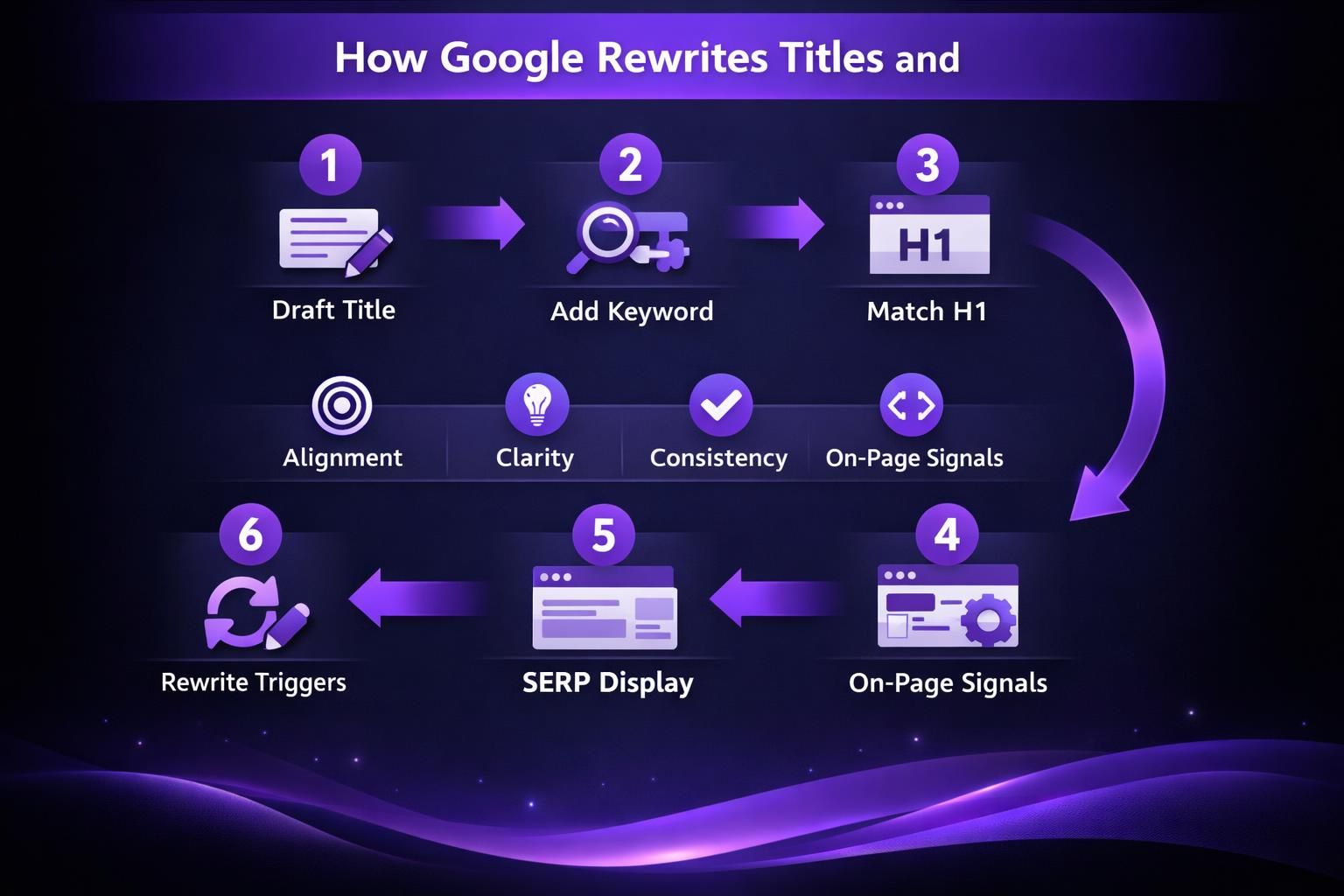
Rewrites happen for predictable reasons. Your title tag might be stuffed with repetitive phrases. Your H1 might conflict with it. Or your title might be too generic. Google tries to show a clearer option for the searcher.
You can’t force Google to keep your title. But you can reduce the chance of rewrites:
- Keep the title tag aligned with on-page topic and H1.
- Avoid boilerplate prefixes that eat space.
- Don’t repeat the same keyword three ways.
- Make sure the first heading on the page matches the promise.
Internal links can also influence this. If many pages link to yours with odd anchor text, Google may treat that phrase as representative. For instance, if you’re building a consistent linking habit, internal linking basics helps you keep anchors descriptive and stable.
If you suspect template issues across your site, look at the system, not one page. For instance, on-page vs technical SEO is a useful lens for separating content fixes from platform fixes.
Tips for Writing SEO-Friendly Blog Titles
SEO-friendly blog titles are clear, specific, and written for humans first while staying aligned with the page. You’ll get better results by tightening meaning, not by stacking keywords.
Use a simple, repeatable formula. Common patterns include: Topic + primary benefit, Topic + question, Topic + audience, or Topic + action.
Make the promise obvious. “Blog Post Titles SEO: A Checklist for Editors” beats “SEO Titles” because it signals who it’s for and what readers get.
Edit for concrete words. Prefer specific nouns and verbs, and avoid vague labels like “best” or “ultimate” that don’t explain the takeaway.
Micro-edits: cut “complete” and “everything you need,” move the topic to the front, remove duplicates like “SEO” and “search engine optimization,” and use punctuation sparingly.
Tools can speed drafts, like generate meta titles, but always review intent and readability.
Title Length Checklist
A title length checklist keeps you consistent and prevents last-minute edits that weaken the headline. Use it right before publishing to avoid truncation, low clicks, or rewrites.
Checks:
- Main topic appears in the first 3 to 5 words.
- Reads cleanly out loud in one breath.
- One clear intent modifier, not several.
- No repeated keywords or near-synonyms.
- Title tag and H1 match the page promise.
- Still makes sense if the last words get cut.
- Looks clean in a browser tab and share preview.
Example: “Blog Post Title Ideal Length: How Long Should Your Title Be for SEO?” front-loads the topic and keeps the question clear even if trimmed.
For system-wide issues, review templates during maintenance. A periodic technical SEO audit checklist can reveal problems content edits won’t fix.
Conclusion
The blog post title ideal length is the length that stays clear, matches intent, and displays well in search. Aim for a concise headline with the topic first. Add one qualifier that earns the click. Then cut anything that doesn’t add meaning. If Google rewrites your title tags, tighten alignment between title tag, H1, and on-page content. Your next step is simple. Pick one high-impression post and rewrite its title using the checklist. Then watch how impressions and clicks react over the next few crawls.