




Getting images to show up well in Google Images, and to support your regular web rankings, comes down to how clearly Google can understand what an image depicts and how it relates to the page. The core of google image seo best practices alt text file names is simple: use descriptive filenames, write helpful alt text, and surround images with relevant on-page context. Beyond that, you need indexable image delivery, consistent URLs, and performance-friendly formats and sizing so Google can discover, render, and index your images reliably. This guide prioritizes what matters most, explains where people over-optimize, and gives copyable examples you can apply whether you publish via HTML or a CMS.
Best for: Site owners who want images to earn visibility in Google Images while also strengthening topical relevance on the page.
Not ideal when: Images are purely decorative or your site blocks crawling, rendering, or indexing of image assets.
Good first step if: You can rename new uploads and add accurate alt attributes that match what the image actually shows.
Call a pro if: You suspect widespread broken images, rendering issues, or indexing problems across templates and many pages.
Quick Summary
- Google interprets images using surrounding text signals plus the alt attribute and image filename, not any single element alone.
- Filenames should be descriptive, stable, and readable with hyphens, and should avoid parameter-heavy or generic patterns.
- Alt text is primarily for accessibility; strong SEO alt text is accurate, specific, and naturally aligned with page intent.
- Over-optimization usually looks like keyword stuffing, repeated alt text across many images, or placeholders that add no meaning.
- Technical delivery matters: indexable HTML img elements, correct responsive images, and sensible formats improve discovery and performance.
What Google Actually Uses to Understand Images
Google understands images by combining visual signals with page context: nearby text, headings, captions, structured markup, links, and how the file is embedded. An image rarely ranks because of image filename or alt text alone; it ranks when it clearly supports a well-defined page topic and Google can discover and index the file.
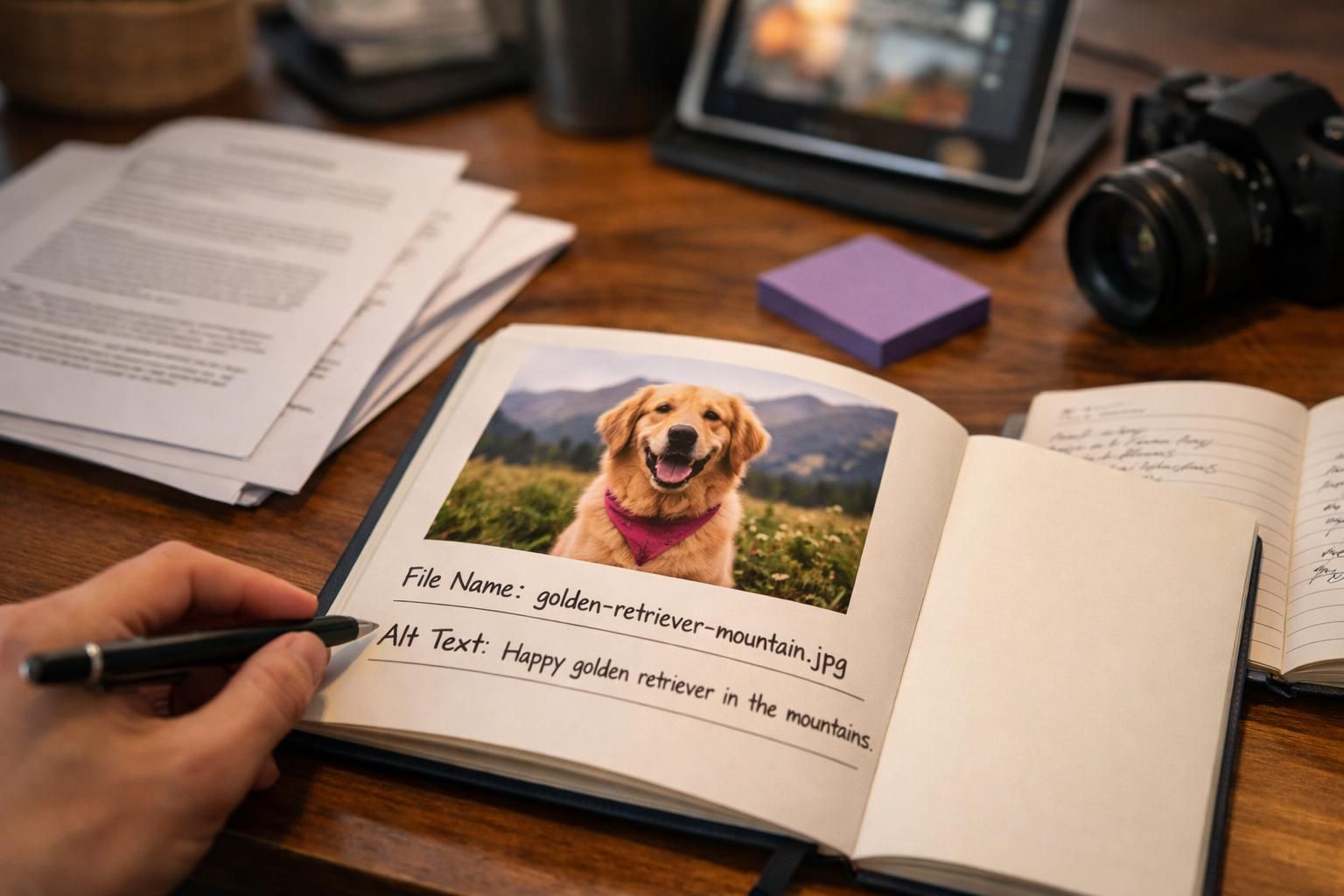
Align key images with the page’s intent. Keep the most relevant image close to the most relevant copy so the relationship is obvious, and make sure the title and description reflect the topic. For broader fundamentals, follow the workflow in SEO learning resources so image work supports on-page SEO.
Technical access matters. If the file is blocked, loaded only after interaction, or embedded in a way Google can’t parse, metadata won’t help. Discovery, indexing, and relevance act like a chain.
File Name, Alt Text, and On-page Context
File names, alt text, and on-page context work best when they agree on the same meaning instead of repeating keywords mechanically. A descriptive image filename helps set an initial hint, the alt attribute explains the image for accessibility and for cases where the image cannot be seen, and nearby text plus captions confirm what the image represents.
On-page context includes headings, paragraphs, lists, and even anchor text for image links. If an image is meant to illustrate “how to tie a bowline,” place it near that explanation and consider a short image caption if it adds clarity. If the content around the image is vague, your alt text and filename have to work harder, and they still may not overcome weak relevance.
Image File Names: Rules That Match Google’s Guidance
A strong image filename is short, descriptive, and stable, using plain words that reflect what the image shows. Treat the filename as a label that helps Google and people understand the asset when it’s crawled, shared, or appears in image results.
Prioritize clarity over cleverness. Replace camera defaults and CMS strings with meaningful names, and keep a consistent convention across the library so audits are easier. If you publish recurring content types, document a naming pattern in your internal step-by-step tutorials so everyone uploads media the same way.
Avoid renaming images after they’re live or ranking unless you can manage the URL change. If you must change it, update page HTML and references, and ensure old URLs don’t create broken requests.
Hyphens, Length, and Keyword Placement (Without Stuffing)
Use hyphens between words because they are widely recognized as separators, and keep filenames readable at a glance. Aim for a concise phrase, not a full sentence, and avoid filler words that add no meaning. Put the most descriptive terms early, but only when they naturally describe the image.
Good patterns look like: “stainless-steel-french-press.jpg” or “blueberry-muffins-on-rack.webp.” Poor patterns look like: “IMG_00492.JPG,” “best-coffee-best-coffee-best-coffee.jpg,” or “photo-final-v3-newest.png.” If your primary page topic is relevant, it’s fine for a keyword to appear once, but the filename should still describe the subject and not just mirror your target query.
Alt Text: How to Write it for SEO and Accessibility
Alt text should help a screen reader user understand what’s in the image and why it matters on the page. Written this way, it also supports SEO because it clarifies relevance instead of gaming a field. The alt attribute is not a place to stuff keywords.
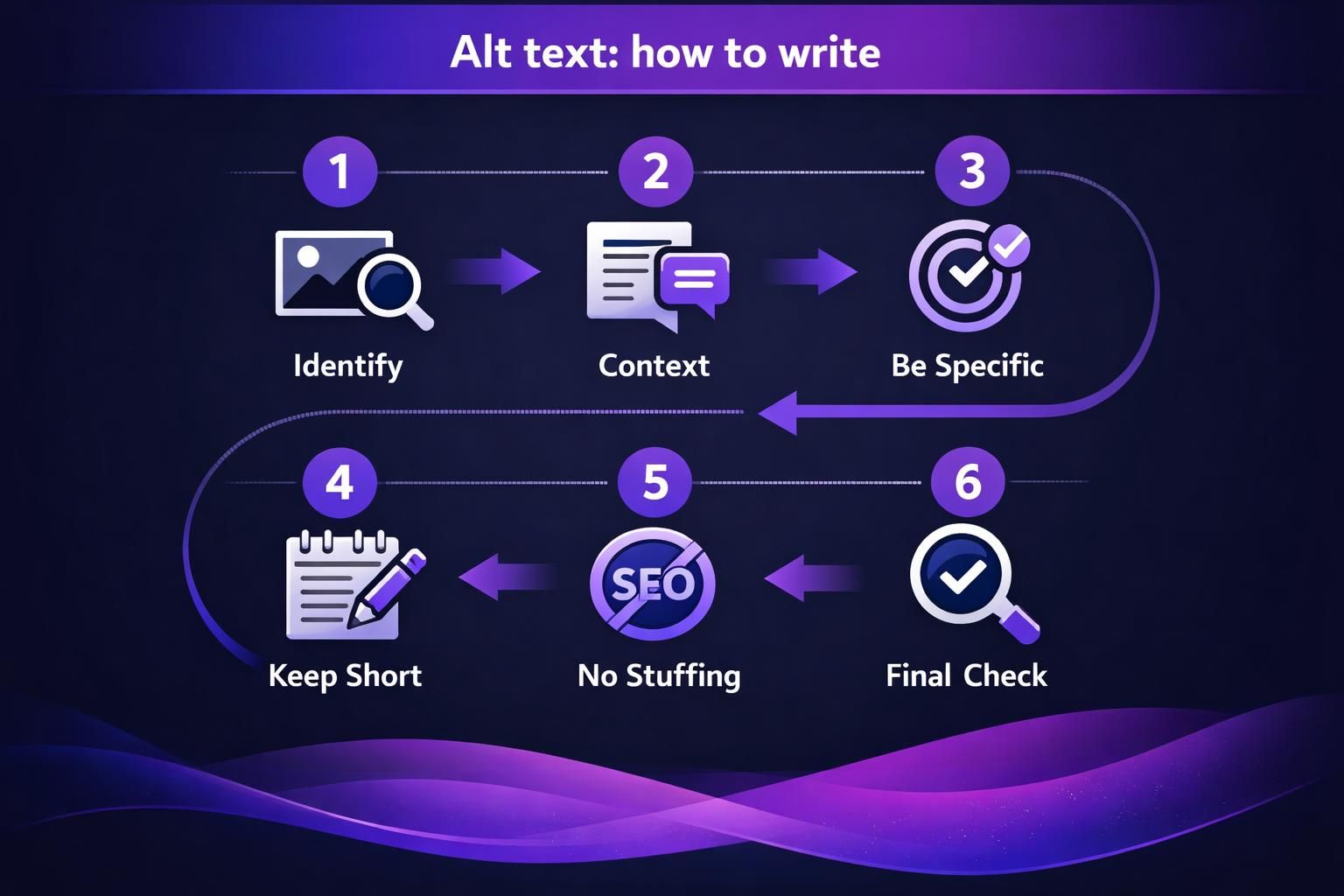
Write as if describing the image to someone who cannot see it. Mention key objects, actions, and distinguishing details that support the page topic, and skip details that don’t add meaning. If the image includes important on-image text, include that text in the alt, but keep it concise.
In a CMS, set alt text in the image’s media settings. In HTML, add it to the img element as alt=”…”. Best practice is the same: every meaningful image should have unique alt text that matches its role on that specific page.
When to Use Alt=”” (Decorative Images) vs Descriptive Alt Text
Use empty alt (alt=””) when the image is purely decorative and adds no information, such as a background flourish, divider icon, or redundant styling element. This tells assistive technology to skip it, improving accessibility instead of forcing a screen reader to announce irrelevant content.
Use descriptive alt text when the image communicates information, supports a step, shows a product detail, presents a chart, or conveys meaning not fully present in nearby text. If an image caption already fully explains the same detail, you can keep alt text shorter, but it should still be accurate. For complex visuals like infographics, consider summarizing the key takeaway in alt text and provide a fuller explanation in the surrounding page content.
Avoid These Common Over-optimization Mistakes
Image SEO gets weaker when metadata looks repetitive, formulaic, or disconnected from what the image actually shows. Google and users benefit most when labels are natural and specific, so treat optimization as clarity, not keyword work.
A common mistake is writing alt text for what you want to rank for rather than what’s depicted. Another is forcing the same phrase onto many images, which reduces usefulness and can look templated. Also watch for mismatched context: great alt text can’t fix an image placed under the wrong heading or on a page with an unclear topic.
During updates, verify images still match the copy, the page still frames them correctly, and theme or CDN changes haven’t introduced broken files. If you need consistency, capture a lightweight process in your team writing guide so mistakes don’t repeat.
Keyword Stuffing, Duplication, and Generic Placeholders
Keyword stuffing happens when alt text or filenames repeat the same keyword unnaturally or list variations like a tag cloud. A useful test is to read the alt text out loud: if it sounds like a search query list rather than a description, revise it.
Duplication is another quiet problem. If you have five similar product photos, do not copy-paste the same alt text across all of them. Instead, describe the differentiator: angle, color, feature, or context. Generic placeholders like “image,” “photo,” “banner,” or “product” add almost nothing unless paired with a real descriptor. The goal is to be specific without being verbose.
Supporting Signals That Strengthen Image Relevance
Images rank more consistently when the page provides multiple corroborating signals that point to the same topic. Beyond filenames and alt text, Google can use surrounding copy, headings, internal linking, and the structure of the image landing page to judge what an image is about and when it should appear, especially in terms of WordPress image SEO.
Use descriptive captions when they add context that a user would actually find helpful, such as identifying a person, naming a location, or clarifying what a screenshot shows. Consider whether structured data or schema markup applies to your page type, because it can help connect images to entities and rich-result contexts. If your site has many images that are not discovered reliably through normal crawling, an image sitemap, referenced from your XML sitemap strategy, can help surface image URLs for discovery and indexing.
Also think about visual search. Clear, original images with unambiguous subjects and consistent context can be easier for Google Lens to interpret, especially when the page text supports what the image depicts.
Captions/nearby Text, Consistent URLs, and Image Links
Captions and nearby text should explain why the image is on the page, not restate the alt attribute. For example, a caption can provide a takeaway, while alt text describes the visible content. This division keeps both elements useful and avoids repetitive phrasing.
Keep image URLs consistent over time. Frequent path changes, aggressive cache-busting parameters, or swapping file extensions without careful migration can fragment signals and create indexing churn. If images are clickable, pay attention to anchor text for image links because it acts like a text label for the linked destination. Use natural anchor text that reflects the user action, such as “view wiring diagram,” rather than stuffing keywords or using “click here.”
Technical Basics That Affect Image Visibility in Google Images
Google Images visibility depends on whether Google can fetch, render, and index your images, and whether files are served in a supported, performant way. Great alt text will not help if the image is blocked by robots rules, if the asset returns errors, or if pages require heavy client-side scripts before images appear, which highlights the importance of following best practices for media library image folders on WordPress SEO.
Prefer indexable HTML images using the img element, and ensure the src URL returns a valid image file to crawlers. Avoid patterns that hide images behind user interactions or load them only via complex scripts without server-rendered fallbacks. Confirm correct content type headers and that image URLs don’t serve HTML error pages.
Performance affects crawling and UX. Compress images, use appropriate dimensions, and serve the right size for the viewport. Use responsive delivery so mobile users don’t download desktop assets, and handle lazy loading so important above-the-fold images are not delayed.
Indexable HTML Images, Responsive Images, Formats, and Performance
Use responsive images with srcset and the sizes attribute so browsers can choose the best file for the device, improving speed without sacrificing image quality. Combine this with thoughtful image compression and effective alt text so image file size stays reasonable while details remain clear. For lazy loading, loading=”lazy” is commonly used for below-the-fold images, but avoid lazy-loading critical images that are immediately visible, since that can hurt perceived speed and sometimes delay discovery.
Choose supported image formats based on content. JPEG is commonly used for photographs, PNG for graphics that need transparency, WebP for efficient compression in many cases, and SVG for vector icons and simple illustrations. Keep an eye on image title attribute usage: it can be helpful for user experience in limited contexts, but it is not a substitute for alt text and should not become a keyword dumping ground.
Quick Checklist + Examples You Can Copy
To follow Google Search Central image SEO best practices for alt text and filenames, use a simple workflow: choose relevant images, name files clearly, write meaningful alt text, and confirm Google can fetch the file. Use this checklist for new pages and refreshes.
- when to leave it empty
Examples (good vs bad): Filename good: ceramic-knife-edge-closeup.jpg. Bad: knife-seo-best-knife-best-knife.jpg. Product alt good: Close-up of a ceramic knife edge showing a small chip near the tip. Bad: ceramic knife best price kitchen knife ceramic knife. Screenshot alt good: Screenshot of the settings menu showing the “Export as CSV” option selected. Bad: settings screenshot. Decorative icon good: alt=””. Bad: decorative star icon star icon star. Keep the checklist near your main blog hub so it doesn’t get skipped.
Conclusion
Prioritize clarity and crawlability first, then refine relevance signals: that is the most reliable path for google image seo best practices alt text file names. Use descriptive image filenames, write alt text that serves accessibility and accurately reflects what’s in the image, and support both with strong surrounding context on the image landing page, following best practices for accessibility image alt text. Finally, make sure your images are indexable via HTML, served responsively, and optimized for performance so Google can discover and render them consistently.