




Image filename SEO is one of those small, controllable tweaks that can quietly improve how your images are understood, categorized, and surfaced in search. When you name files clearly, you help search engines interpret what an image is about before they even evaluate the page context. You also make your own library easier to manage as your site grows. This guide gives you a simple naming formula, rules of thumb, and a safe workflow for renaming existing images without breaking URLs or losing image search visibility.
Best for: Site owners publishing lots of visual content who want consistent, low-effort image optimization that scales with new uploads.
Not ideal when: The image URL is already widely shared or embedded and you cannot support redirects or update references safely.
Good first step if: Your media library is full of camera defaults like IMG_0001 and you want quick wins with descriptive naming.
Call a pro if: You need to rename many existing images across templates and CDNs and must preserve SEO with correct redirects.
Quick Summary
- Filenames act like lightweight labels that help search engines and humans understand an image at a glance.
- Use descriptive, human-readable words separated by a hyphen (-), not an underscore (_).
- Add one main keyword only when it truly matches the image subject and page intent.
- Pair filenames with strong alt text and relevant surrounding copy for the best overall image SEO signal.
- Renaming existing files requires a plan to avoid broken links, missing images, or lost indexing.
What Image Filename SEO is (and Why it Still Matters)
Image filename SEO means using clear, descriptive words in filenames so search engines can interpret images in context. Filenames are a small signal, but easy to control and useful alongside alt text and nearby copy.
Call a pro if: You need to rename many existing images across templates and CDNs and must preserve SEO with correct redirects while learning how to rename an image in WordPress.
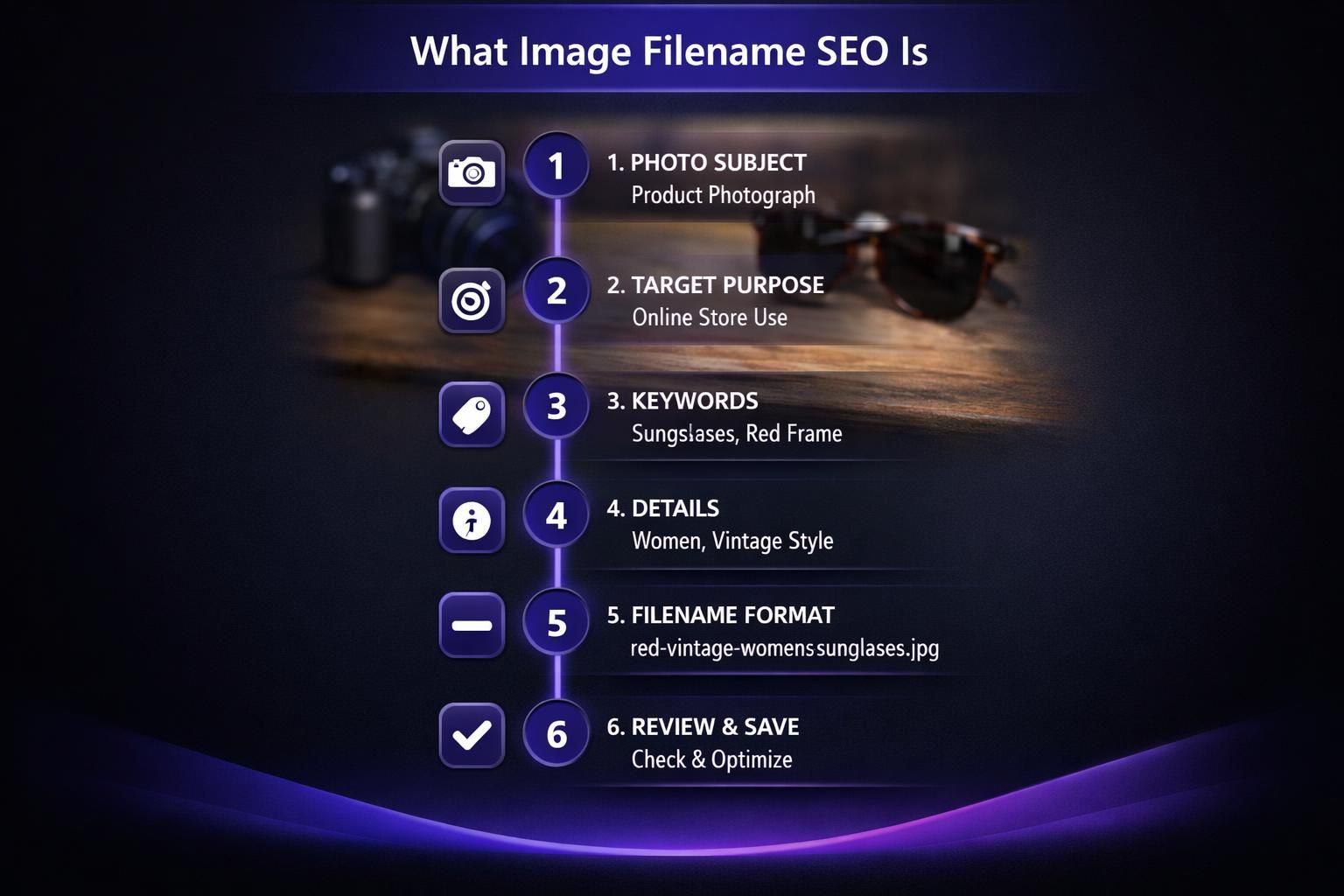
Descriptive names can support visibility in image and blended results. They also help teams find, reuse, and audit assets over time.
Image SEO Vs. Page SEO Impact
Filenames act like lightweight labels that help search engines and humans understand an image at a glance. Use descriptive, human-readable words separated by a hyphen (-), not an underscore (_). Add one main keyword only when it truly matches the image subject and page intent. Pair filenames with strong alt text and relevant surrounding copy for the best overall image SEO signal, as outlined in our Google Image SEO best practices. Renaming existing files requires a plan to avoid broken links, missing images, or lost indexing.
Image SEO mainly helps images get discovered and understood, while page SEO primarily helps the page rank for queries. A great filename rarely outranks weak page context by itself, but it can reinforce relevance when everything else lines up. Think of filenames as supportive metadata: helpful, but strongest when aligned with the page topic, alt attribute, and internal linking structure.
Image Filename Best Practices (the Rules of Thumb)
Use clear, descriptive filenames that match page intent and stay consistent sitewide. Write names as short human labels, not camera strings.
Include the core subject plus a distinguishing detail when helpful (color, model, angle, use case). Keep extensions accurate (JPG/PNG/WebP) and do not change them without re-exporting. For broader SEO basics, see SEO learning materials.
Use Hyphens, Keep it Short, and Describe the Subject
Use hyphens as word separators; underscores can be treated as joiners. Keep filenames short but specific. A good pattern is subject-detail-angle.jpg, not a full sentence or a cryptic export code from cameras.
How to Add Keywords to Image Filenames (Without Stuffing)
Choose one accurate phrase that matches what the image literally shows and supports the page topic. Start with the subject, then add a truthful modifier like “diagram,” “before-after,” or a key attribute when it helps.
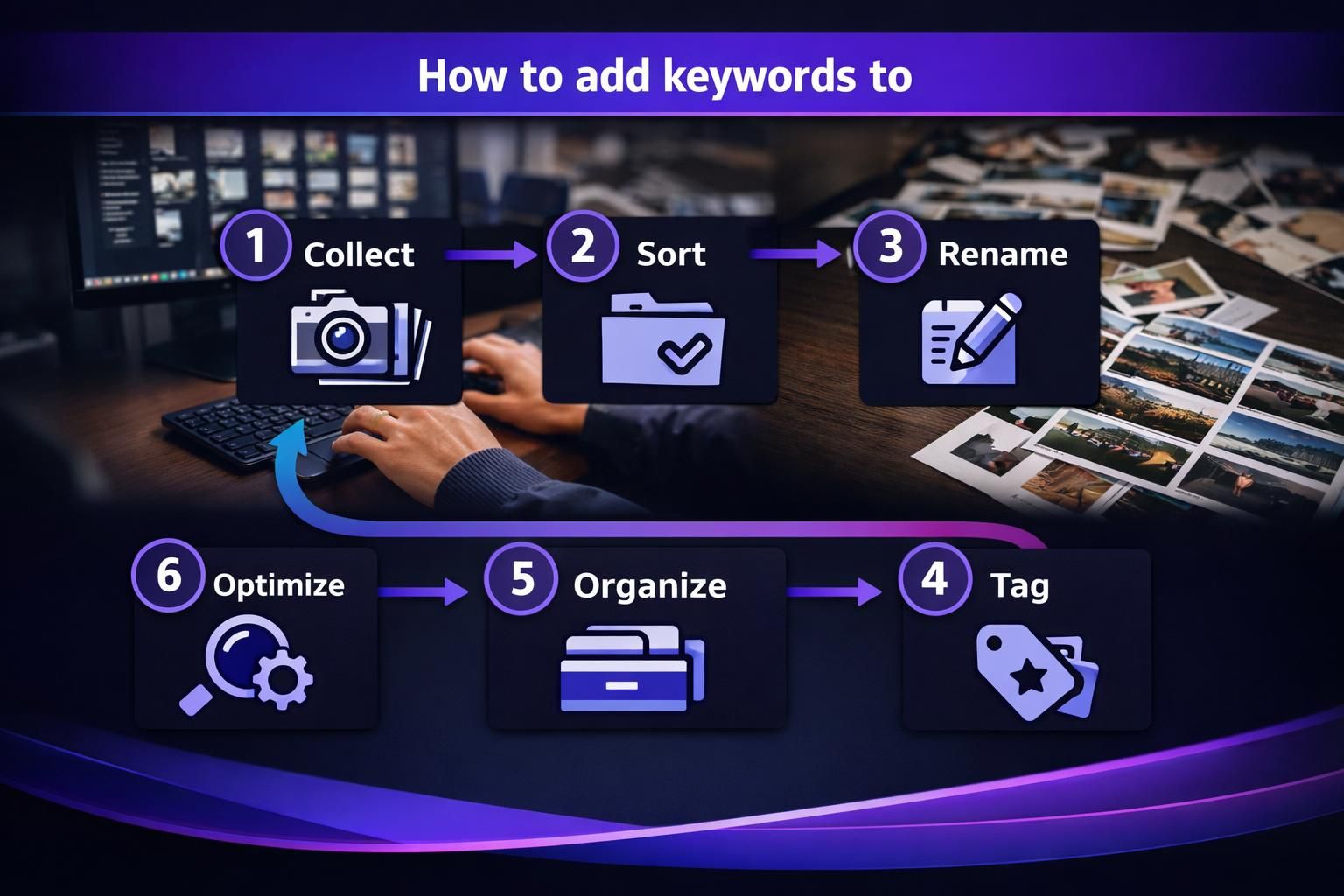
Avoid stuffing: stick to one primary concept and skip repeated synonyms. Do not cram unrelated terms or multiple locations. Add a location only when it is part of the image, like a storefront sign. For examples, see step-by-step tutorials.
Examples of Good Vs. Bad Filenames
Good: stainless-steel-french-press-top-view.jpg Bad: IMG_4839.jpg
Good: drywall-anchor-installation-diagram.png Bad: how-to-install-drywall-anchors-best-drywall-anchors-cheap.png
Good: chicago-bakery-front-sign.webp (only if the photo is actually that sign) Bad: chicago-nyc-la-best-bakery-photo.jpg
Common Image Filename Mistakes to Avoid
Common mistakes are using generic, misleading, or inconsistent names. Generic filenames (like IMG_0001) remove a relevance hint and make asset libraries hard to manage. Misleading names conflict with what the image shows and weaken alignment with alt text and page copy.
Common mistakes are using generic, misleading, or inconsistent names. Generic filenames (like IMG_0001) remove a relevance hint and make asset libraries hard to manage, which can be addressed by using safe methods to rename image file names. Misleading names conflict with what the image shows and weaken alignment with alt text and page copy.
Also avoid: underscores instead of hyphens, keyword stuffing, export defaults like final-final-2.png, frequent renaming without a standard, and unnecessary dates. For teams, document one simple convention in a shared central resource hub.
How Filenames Work With Alt Text, Captions, and Surrounding Copy
Filenames work best when they align with alt text, captions, and surrounding copy, because search engines use multiple signals to understand an image. The filename is a short label, alt text is the accessibility-first description, and nearby headings and text confirm topic and intent.
Filenames work best when they align with alt text, captions, and surrounding copy, because search engines use multiple signals to understand an image. The filename is a short label, alt text is the accessibility-first description, and nearby headings and text confirm topic and intent, following the accessibility image alt text guidelines.
Keep everything accurate. Alt text should describe the image, not just repeat the filename. Captions can add context, like why a chart matters. Title attributes are optional and not a replacement for alt text.
Keep everything accurate. Alt text should describe the image, not just repeat the filename, which is important for effective WordPress image SEO. Captions can add context, like why a chart matters. Title attributes are optional and not a replacement for alt text.
What to Prioritize if You Can Only Optimize One Thing
Prioritize alt text. It improves accessibility and provides the clearest description for search engines when paired with surrounding copy. If possible, make filenames and alt text consistent in topic without duplicating the exact phrase.
Workflow: How to Rename Images Safely (CMS + Existing URLs)
Rename images before publishing whenever possible. Set a convention, export with final names, and upload once. In some CMSs, renaming in the media library does not change the public URL, so confirm the live path and test the page.
For live images, treat renaming as a URL change. Update all references, add a one-to-one redirect, and verify the new file returns 200 and renders. Document this in your site writing toolkit.
When Renaming Can Hurt (and How to Mitigate With Redirects/CDNs)
Renaming can break links, drop indexed URLs, or trigger CDN cache conflicts. Mitigate with one-to-one redirects, CDN cache purges, and temporary old-file availability when redirects are unreliable. Monitor indexing afterward, and logs.
Quick Checklist for Image Filename SEO
Use this final pass before publishing:
- Describe what the image shows.
- Use hyphens, not underscores.
- Keep it concise and readable.
- Add a keyword only if it fits the subject and intent.
- Avoid stuffing, repeated synonyms, and location spam.
- Keep conventions consistent sitewide.
- Match extension to format (JPG/PNG/WebP).
- Align with alt text and nearby copy.
- Redirect old URLs and test rendering.
Conclusion
A clear filename is a small signal, but it adds up when you publish lots of visuals and keep your media library organized. Start by naming new uploads with a simple, descriptive hyphenated phrase, then tackle legacy files only when you can redirect safely. Combined with strong alt text and on-page