




Seeing google crawled but not indexed in Google Search Console can feel confusing. Googlebot clearly found your page. It even crawled it. But the URL still isn’t in the index. So what’s going on?
This post helps you separate “normal delay” from real problems. You’ll learn what the status means, how it differs from similar exclusions, and which checks prove Google can index the URL. Then we’ll get into the real reasons Google skips indexation, even after crawling. Finally, you’ll get a prioritized fix checklist and guidance on requesting indexing versus waiting.
Best for: Site owners and SEOs who see many excluded URLs and need a reliable way to triage indexation issues.
Not ideal when: You’re dealing with a manual action, hacked pages, or a sitewide deindexing that needs deeper incident work.
Good first step if: You can name the exact URLs affected and confirm whether they’re important landing pages or low-value support pages.
Call a pro if: Critical revenue pages stay excluded for weeks and you’ve ruled out noindex, canonicals, redirects, and thin content.
Quick Summary
- “Crawled – currently not indexed” means Google crawled the URL and decided not to add it yet.
- It often comes down to quality signals, duplication, or weak internal linking.
- Start by verifying status codes, indexability, and canonical selection on the exact URL.
- Use URL Inspection and the Page Indexing report to spot patterns across templates.
- Fixes work best when you improve usefulness, consolidate duplicates, and strengthen internal links.
What “Crawled – Currently Not Indexed” Means in Google Search Console
“Crawled – currently not indexed” means Googlebot fetched the page, processed it, and didn’t keep it in the index. That decision can be temporary or persistent. It depends on quality signals, duplication, and demand.
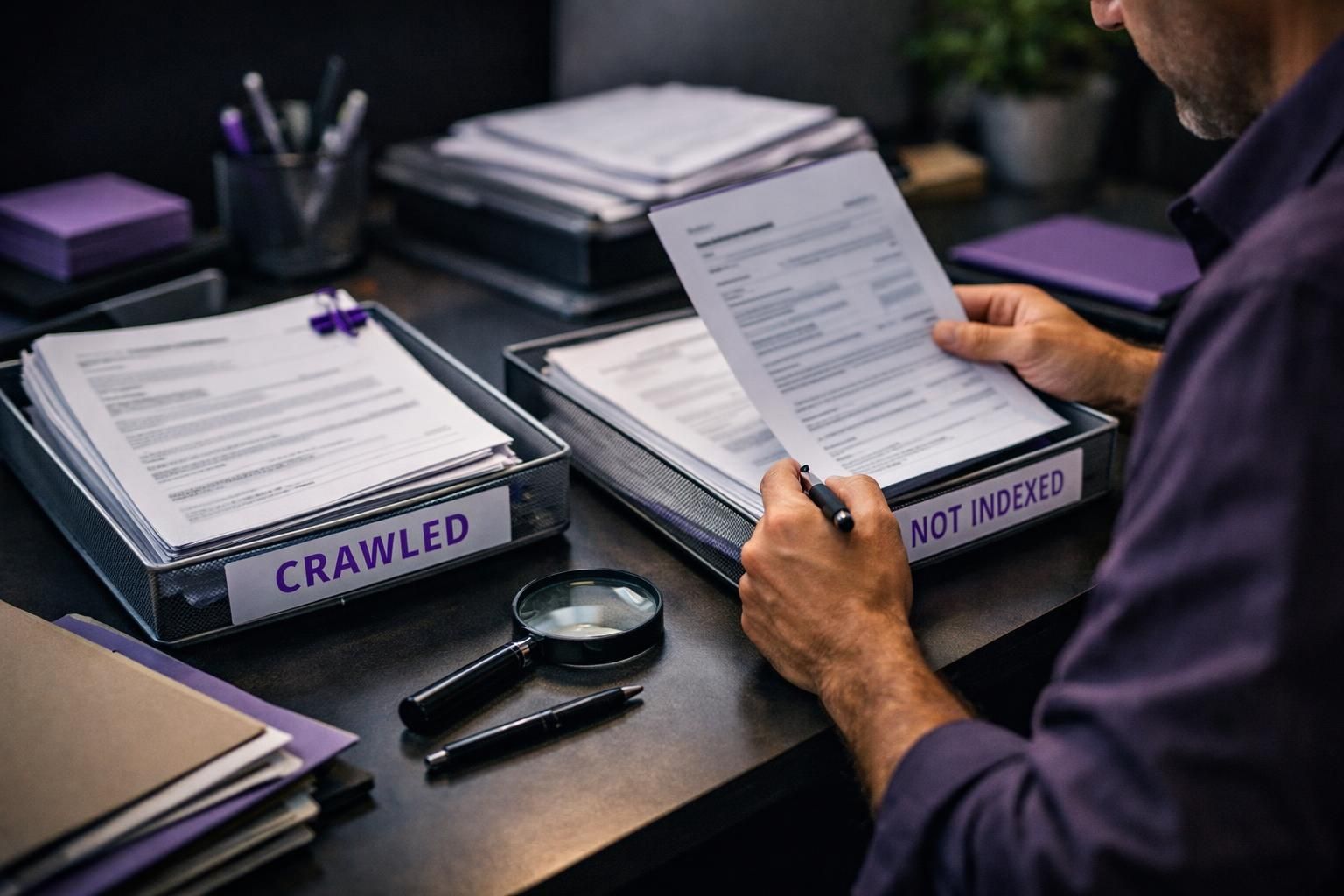
This status also differs from “Discovered – currently not indexed.” Discovered usually means Google knows the URL exists. It hasn’t crawled it yet. Crawled means the crawl and rendering step already happened. The page then landed in an indexing queue decision point.
For example, you publish a new category page. Google crawls it from your XML sitemap. Search Console still shows it as excluded. That often means Google didn’t see enough unique value yet.
Now, don’t assume this is always “bad.” Some URLs should stay excluded. Think filter variants, tracking parameters, or thin internal search pages.
First Checks to Confirm Google Can Index the URL
Before debating quality, confirm the URL is technically indexable. Many cases are simple blockers or conflicting signals.
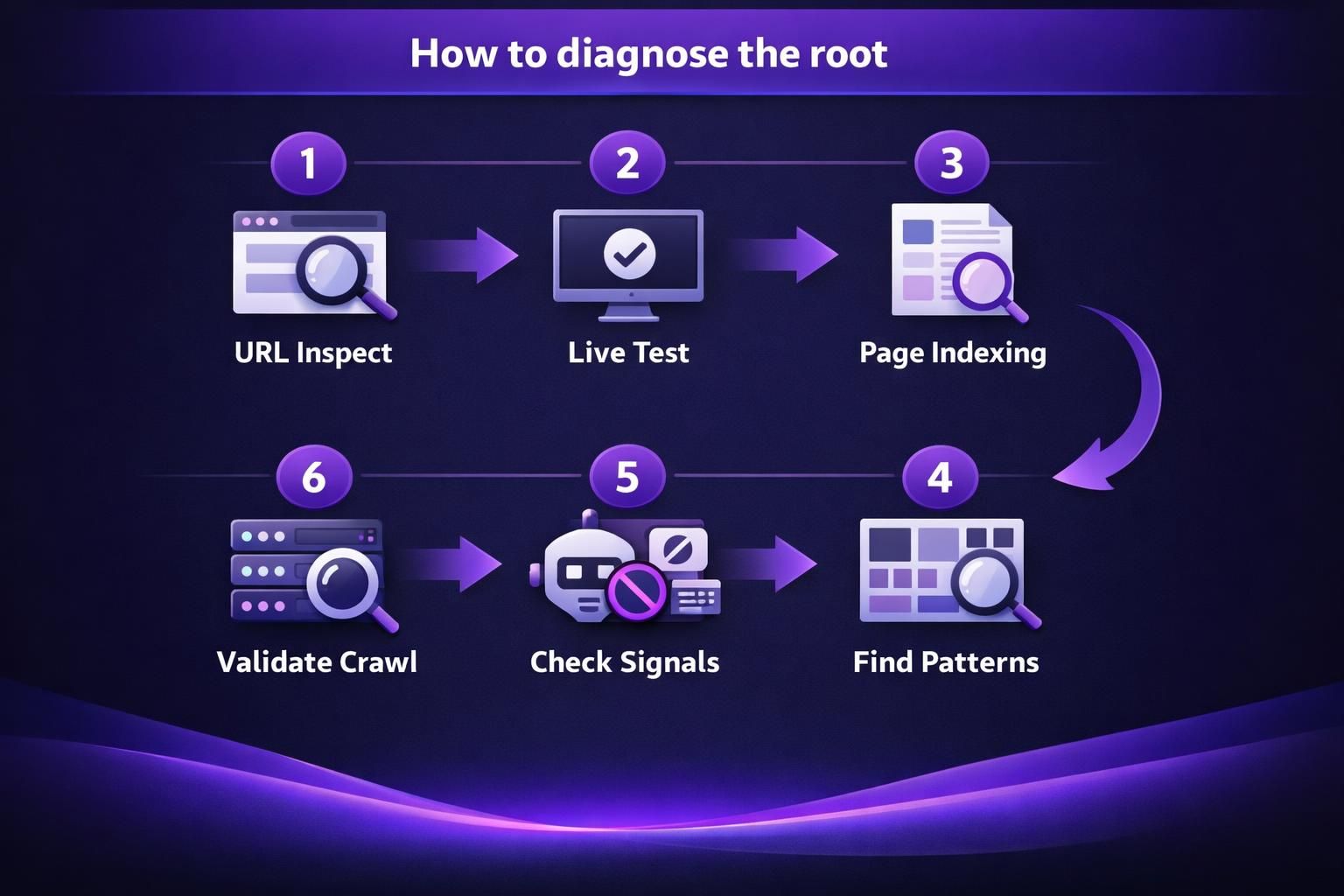
In URL Inspection, test the exact URL and run the live test. Confirm Googlebot can fetch and render it, the HTTP status is clean, and it’s not a soft 404, blocked resource, redirect loop, or cloaked variant.
Example: a product page returns 200 to users but 302 to Googlebot due to geolocation rules, creating exclusion churn.
Then verify discovery: is the URL in a submitted XML sitemap, and is sitemap hygiene solid? Review sitemap setup basics if needed.
Indexing Blockers (Noindex, Robots.txt, Canonicals, Redirects)
Most hard blockers are visible in one quick pass through source and headers. Check meta robots noindex, X-Robots-Tag, and robots.txt directives. Then check canonical tag signals and redirect behavior.
For example, you cloned a template and forgot a noindex tag. Google can crawl it. It then correctly excludes it. Another common case is a canonical pointing to a different URL. Google may choose the canonical and drop the crawled URL.
Keep an eye on redirect chains too. A 301 redirect is fine. A chain can dilute signals and waste crawl budget.
Why Google Crawls a Page but Chooses Not to Index it
Google may crawl a URL yet skip indexing when it doesn’t add enough value versus alternatives. The index favors usefulness, uniqueness, and implied demand.
Duplication is a common cause: near-identical pages compete, Google selects one canonical, and the rest are excluded. Weak sitewide quality can amplify this, making Google more conservative about indexing additional URLs.
Example: an ecommerce site auto-creates “brand + color” categories with two products and reused copy. Google crawls them via internal links but treats them as interchangeable and declines indexation.
Sometimes crawl constraints contribute: slow responses, intermittent 5xx errors, or heavy rendering reduce revisit frequency and delay reconsideration after fixes.
Quality, Duplication, and Search Intent Mismatch
Quality issues usually mean the page doesn’t satisfy a clear search intent better than other pages. That can be thin content, outdated copy, or a page that’s mostly boilerplate.
For example, you publish a “shipping policy for Italy” page. It’s 150 words and repeats the global policy. Users search broader terms instead. Google crawls it and decides it’s not worth indexing.
Duplication also hides in parameters and facets. A sort parameter can create dozens of URLs with the same products. Canonicalization and parameter handling become essential.
Now ask a blunt question. If this page ranked tomorrow, would it help the searcher?
How to Diagnose the Root Cause in Search Console (and Beyond)
Combine Search Console patterns with quick on-page checks to move from “this URL is excluded” to “this template has a repeatable issue.”
In the Indexing report, open Page Indexing and look for clusters by folder, template, or parameters. Sample several URLs; patterns matter more than single inspections. If all /tag/ pages are “Crawled – currently not indexed,” suspect thin taxonomy pages. If URLs with ?sort= are excluded, suspect parameter duplicates.
If available, review server logs to see Googlebot frequency and failures. Timeouts or unstable responses can register as “crawled” while still preventing follow-through.
If internal linking may be the cause, run internal link health scan to find orphan patterns.
URL Inspection, Page Indexing Report, and Common Patterns
URL Inspection is best for single-URL truth. The Page Indexing report is best for scale triage. Use them together.
In URL Inspection, watch these fields:
- Google-selected canonical versus user-declared canonical
- Crawled as and last crawl timing
- Page fetch status and indexing allowed
- Detected structured data and render output
For example, you see “Duplicate, Google chose different canonical.” That’s not a content rewrite problem first. It’s a consolidation and canonical alignment problem.
Also watch for “Soft 404” classifications. A thin page with little main content can look like an error. That can block google indexation even with a 200 status.
Fix Checklist to Get the Page Indexed (Prioritized)
Indexation improves when signals are consistent and the page is clearly the best option. Fewer strong URLs beat many weak ones.
1) Consolidate duplicates. If multiple URLs match the same intent, merge into one, 301 redirect the rest, set the canonical to the winner, and update internal links to the canonical.
Example: three short “reset password” posts compete. Combine them into one complete guide and redirect the other two.
2) Strengthen internal links. Reduce crawl depth for priority pages and add contextual links from relevant, indexed pages. For a repeatable process, use generate internal links.
3) Remove technical friction. Fix redirect chains, accidental noindex, and inconsistent canonicals across paginated or filtered pages.
Content Improvements, Internal Linking, and Technical Cleanup
Content upgrades should target usefulness, not word count. Add missing comparisons, steps, FAQs, and constraints. Remove fluff and duplicated intros.
For example, a “returns policy” page can add a clear process, timeline expectations, and edge cases. Include store credit rules and damaged item steps. That’s more index-worthy than generic policy text.
Internal linking improvements should be specific:
- Link from high-authority pages to the excluded URL
- Use descriptive anchors, not “click here”
- Add breadcrumbs where they clarify architecture
Technical cleanup is where you prevent backsliding. Remove parameter links from navigation. Make sure canonicals don’t flip between http and https. And confirm your sitemap only lists canonical, indexable URLs.
When to Request Indexing Vs. Wait (and What “Waiting” Really Means)
Request indexing only after you’ve removed the signals that caused exclusion. It won’t force indexation; it simply pushes the URL back into consideration sooner.
Waiting is reasonable when a page is new, unique, and already linked internally. Google may need multiple crawls to re-render, reassess canonicals, and compare the page against similar URLs. Still, “waiting” should be monitored: watch for canonical flips, new internal links, and whether related pages start indexing.
Example: you publish a glossary page, link it from a hub, and see “Crawled – currently not indexed” for a week. That can resolve after a few crawls.
Request indexing when you fixed noindex or canonicals, consolidated duplicates with 301s, refreshed content and links, or the page is time-sensitive.
Wait when pages are low priority, changes are unstable, or crawl limits are likely. Use bulk tools workflow for consistent fixes.
FAQs (Common Edge Cases: Parameter Pages, Faceted Navigation, Expired Products, Feeds)
Why Arent Feed Pages Indexed by Google Console?
Feed URLs are often excluded because they look like machine output, not a search landing page. They can be duplicate-heavy and low value for users. For example, a /feed/ URL repeats recent post snippets. Keep feeds accessible for subscribers. But don’t expect them to rank.
Are Parameter Pages and Faceted Navigation Supposed to Be Indexed?
Most parameter and faceted URLs shouldn’t be indexed unless they serve unique search intent. For example, /shoes?color=black&size=10 can explode into thousands of near-duplicates. Use canonicals to the main category. Limit internal links to useful facet combinations.
What Should I Do With Expired or Out-of-stock Product Pages?
If there’s no replacement, return a useful 404 or 410. If there’s a close replacement, use a 301 redirect. For example, a discontinued model can redirect to the newer version. If the page may return soon, keep it live with clear alternatives. Add structured internal links to in-stock products.
Do XML Sitemaps Guarantee Google Indexation?
No, sitemaps help discovery, not acceptance into the index. For example, you can submit 10,000 URLs. Google may index only the ones it finds valuable and non-duplicate. Keep sitemaps clean. Include only canonical, 200, indexable URLs.
Does Structured Data Help With “Crawled but Not Indexed”?
Structured data won’t force indexing, but it can reduce ambiguity. For example, Product schema clarifies price and availability. That can help Google understand the page after rendering. But if the content is thin or duplicate, schema won’t save it.
Conclusion
A google crawled but not indexed status usually means Google saw the page and didn’t find enough reason to keep it. Start with indexability checks, canonicals, and redirects. Then look for template-level patterns in the Indexing report and URL Inspection tool. Fixes work best when you consolidate duplicates, improve usefulness, and strengthen internal links from indexed pages. If you’ve made real changes, request indexing for a few key URLs. Then monitor patterns, not just single pages.