




Keyword research decides whether your blog gets steady, predictable traffic or random spikes. If you’ve ever published a solid post and heard crickets, the issue is often the query. This guide shows how to do keyword research for blog content without overthinking it. You’ll learn how to match intent, build seed lists, size up competition, and choose one clear primary keyword per post. You’ll also see how to use secondary keywords naturally. And you’ll get a repeatable checklist you can run before every new article. So what does that mean in practice? You’ll stop guessing topics. You’ll start writing posts that fit what searchers actually want.
Best for: Bloggers who want a repeatable process to choose topics that match real queries and realistic ranking opportunities.
Not ideal when: You’re publishing purely opinion pieces where search traffic isn’t a goal or a meaningful success metric.
Good first step if: You have a rough topic idea and need to turn it into a focused query and a workable outline.
Call a pro if: Your site has technical issues, a manual penalty concern, or rankings drop across many posts at once.
Quick Summary
- Start with intent, not tools, since intent dictates format, depth, and angle.
- Build seed keywords from your audience language, site data, and competitor themes.
- Check competition by analyzing the current top results, not just a difficulty score.
- Assign one primary keyword per post, then map close variants to sections.
- Use secondary keywords as coverage cues, not as stuffing targets.
- Finish with a quick checklist so you don’t miss the basics.
Why Keyword Research Matters for Blog Posts
Keyword research aligns a post with real search demand and a winnable SERP. Without it, you can still publish useful content, but you won’t know who it’s for, how they search, or what Google already prefers.
The main win is focus. A good keyword forces a clear promise and shapes your outline, examples, and on-page choices. It also prevents cannibalization. When you skip research, you often publish overlapping posts that satisfy the same intent, so they compete instead of reinforcing each other.
Keyword research also improves updates. You can find pages that already rank for near-miss queries and strengthen them rather than writing something new. That’s often faster and safer than launching another URL, especially on smaller sites. Use updating older posts for SEO to guide the refresh process.
Treat keywords as problem statements, not magic words. Your job is to solve the problem better than what’s ranking, in the format people expect.
Step 1: Understand Search Intent
Search intent is the job the searcher wants done. To rank, your post must match that job and the format the SERP rewards. If your format fights intent, great writing won’t save it.
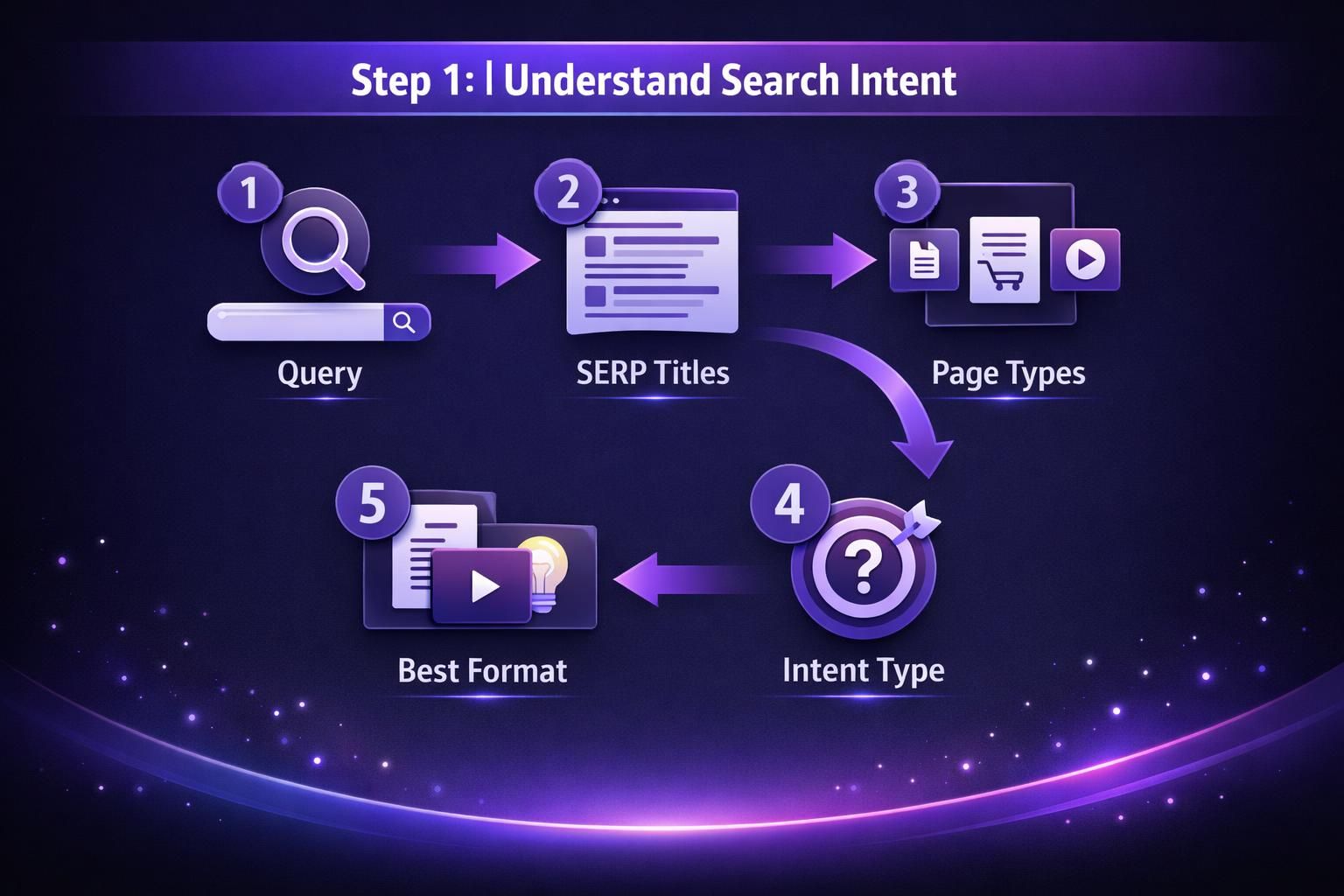
Most blog queries fall into a few buckets:
- Informational: learn or understand
- How-to: complete a task with steps
- Comparison: choose between options
- Template or example: copy a structure
- Troubleshooting: fix a specific issue
Infer intent from the top results. Look at titles and page types: lists, step-by-step guides, tool pages, videos, or forum threads. Also notice how quickly they answer. Some queries want a definition; others expect a full workflow.
For example, if “keyword research for blog posts” returns detailed guides, a short opinion piece won’t fit. If tool roundups appear, readers may expect at least a tools section.
Use “People also ask” to confirm patterns. Are questions “what is,” “how to,” or “best”? Those modifiers tell you what sections the post needs, such as primary vs. secondary keywords or required tools.
Step 2: Find Seed Keywords
Seed keywords are simple phrases that represent a topic area. They are not final targets; they are handles for pulling larger lists of ideas.
Start with audience language. Use phrases from emails, comments, sales calls, support tickets, and your site search box. These terms reflect real wording, not marketer jargon.
Next, use your existing data. Google Search Console often reveals seeds you already appear for, even if you never targeted them directly. If you see impressions for a phrase like “how to do keyword research for a blog post,” that’s evidence your site is relevant. If you haven’t connected it yet, follow connect Search Console quickly.
Then review competitor navigation and categories to collect topic clusters, not to copy posts. A “content planning” category suggests seeds like “content calendar,” “topic research,” and “blog outline.”
Expand seeds into variations using:
- Autocomplete suggestions
- Related searches
- Forum phrasing (Reddit and niche communities)
- YouTube search suggestions for how-to topics
Keep the seed list tight: 10 to 20 seeds per theme is enough. Also capture key modifiers like “for blog,” “best,” “free,” “step by step,” “template,” and year terms, because they change intent.
Step 3: Analyze Competition and Volume
Choose keywords by weighing opportunity against effort, not by chasing the biggest volume number. Volume is a signal, but competition quality and intent fit often matter more.
Start by checking the current top results. Open the top five to ten pages and note patterns:
- Content type: blog, tool, video, forum, docs
- Content depth: quick answer versus long guide
- Freshness: are results updated recently
- Brand strength: big brands or niche sites
- SERP features: snippets, videos, “People also ask”
If the SERP is dominated by official documentation or product pages, a blog post may not match. If smaller sites rank with practical guides, that’s a good sign.
Then evaluate the content gap. Ask what’s missing: outdated examples, unclear steps, ignored audiences, or skipped implementation details. If competitors say “use tools” but don’t show how to choose between close phrases, you can win with clarity.
Treat volume as directional. Tools estimate; they don’t promise. Many posts win by ranking for many long-tail queries, so modest volume can still drive strong traffic.
Finally, check internal competition. If you already have a near-match URL, updating it may beat publishing a new post. Strengthening related sections can pair well with on-page SEO checklist.
Step 4: Pick the Right Keyword for Each Post
Assign one primary keyword per post, and let everything else support that query’s intent. This keeps the post focused and makes on-page decisions easier.
Your primary keyword should meet three tests:
- Intent match: you can satisfy the query in one clear format
- Topical fit: it belongs with your audience and site theme
- Competitive realism: you can plausibly outrank some current results
Next, build a keyword map. Secondary phrases become section targets, not repeated lines. They represent sub-questions you must answer.
If your primary keyword is “how to do keyword research for blog,” close variants like “how to do keyword research for blog posts” share the same intent. Cover them naturally through headings, examples, and terminology, not forced repetition.
Watch for mixed intent. “Keyword research tools” often implies a roundup, while “keyword research process” implies a tutorial. If you mash both, the post can feel unfocused and under-deliver.
Use the title test: write five possible titles. If the keyword doesn’t fit a natural title, it’s probably the wrong target.
For multi-category sites, map themes to categories to reduce cannibalization. Keep technical terms in a technical hub that can link to technical SEO audit checklist.
Step 5: Use Secondary Keywords Naturally
Secondary keywords should guide coverage, not force awkward phrasing. If you’re stuffing exact matches into sentences, readers notice, and Google can still understand close variants without it.
Use secondary phrases in three ways:
- Section prompts: turn them into subtopics you must address
- Terminology checks: use the language searchers use
- Edge-case coverage: answer related questions that affect success
If “how to do keyword research for a blog post” appears as a secondary phrase, add a mini-workflow for optimizing a single post, not just building a calendar.
Natural placements include:
- H2 or H3 headings when they truly fit
- The first paragraph after a heading
- FAQs, if they add clarity
- Relevant internal link anchor text
Use alt text carefully. It must describe the image, not cram keywords. A screenshot of a keyword spreadsheet should be described as such. For rules that keep this honest, use practical alt text guidelines.
Write with the “draft first, sprinkle second” method. Draft for clarity, then check your secondary list to confirm you covered the implied questions. Add missing lines where they belong, and avoid chasing LSI myths. Completeness beats synonym collecting.

Keyword Research Tools Worth Using
The best keyword research tools help you validate intent, expand ideas, and audit performance without noise. You don’t need ten tools. You need a small stack you trust.
Start with Google Search Console for reality. It shows what you already rank for, where you’re close, and which pages deserve a refresh. If a page earns impressions but few clicks, your title or angle may not match intent.
Next, use one keyword discovery tool to expand options. Most do the same core jobs:
- Suggest keyword variations
- Estimate volume ranges
- Show SERP previews
- Group keywords by theme
Those variants can become separate posts, not just subsections, when the intent shifts.
Build a competition review habit. Do a manual SERP check in an incognito window and read the top pages. Tools can summarize results, but they can’t judge clarity, usefulness, or whether the ranking pages are actually weak.
Keyword Research Checklist
A keyword research checklist forces consistency when you’re busy, so you miss fewer steps and keep publishing predictable content.
Run this in 15 to 30 minutes per post idea:
- Write the one-sentence promise of the post
- Identify intent by scanning the top results
- Collect 5 to 15 seed keywords from audience language and Search Console
- Expand seeds into a shortlist of close variants
- Open the top 5 to 10 ranking pages and note patterns
- Choose one primary keyword that matches format and angle
- Assign secondary keywords to sections or questions
- Confirm you’re not cannibalizing an existing URL
- Draft a title that naturally includes the primary keyword concept
- Plan one concrete example per major section
Use the SERP to adjust your angle. If results are mostly templates, include a copyable grid. If results are mostly tools, either add a tools section or shift the post toward process.
Before finalizing, ask two questions: Can you beat some results on clarity and usefulness? Is the post clearly positioned for a specific reader? Keep the checklist inside your brief so you actually use it.
Conclusion
A solid process beats guesswork every time, especially when you’re publishing regularly. Start with intent, build a small seed list, and validate what’s ranking right now. Then pick one clear target per post, and use secondary phrases to guide coverage. When you follow these steps, you’ll stop writing “pretty good” posts for the wrong query. You’ll write useful posts for the right query. And that’s the whole point of how to do keyword research for blog content. Your next step is simple. Take your next post idea and run the checklist once, end to end.