




Product pages often fail for one simple reason. They answer “what is it?” but not “is it right for me?” That gap shows up in bounce rate, support tickets, and weak long tail rankings. When you integrate faq in product pages seo the right way, you’re adding targeted copy that matches real buyer questions. And you’re doing it without bloating the page with random text.
In this guide, you’ll learn what an effective product page FAQ looks like. You’ll also learn how to write questions that rank, where to place them, and when to use schema. We’ll keep it practical, with examples you can copy and adapt.
Best for: Product pages with recurring pre purchase questions that slow conversions or create thin, repetitive on page copy.
Not ideal when: Your product has high legal risk or nuanced usage limits that can’t be answered safely in short, fixed text.
Good first step if: You can pull ten real questions from support, reviews, or search queries and map each to a specific page.
Call a pro if: You need structured data at scale, you’re seeing rich result errors, or your templates block clean schema output.
Quick Summary
- Product page FAQs work best when they target buyer intent, not generic company questions.
- Use FAQs to capture long tail queries, reduce uncertainty, and clarify options fast.
- Keep answers specific, scannable, and consistent with your shipping and returns policies.
- Add FAQ schema only when the content is visible and genuinely helpful on the page.
- Place FAQs where they support the decision, often near specs, price, or objections.
Why Product Pages Need FAQs
Product pages need FAQs because they surface buying objections and intent terms that your main copy usually skips. Most product descriptions stay broad to fit many shoppers. That leaves “edge” questions unanswered. Those edge questions are often exactly what people type into Google.
For example, a shopper might search “does this water bottle fit car cup holder” instead of “insulated water bottle.” Your hero copy won’t mention cup holders. A tight FAQ can. And it can do it without rewriting your entire product narrative.
FAQs also reduce decision friction. They let you address doubts in a neutral tone. That’s useful for returns, compatibility, sizing, and care. It’s also useful when product variants create confusion.
For instance, if you sell running shoes in multiple widths, an FAQ can clarify fit. It can also explain how to choose between models. That’s easier than packing everything into one long paragraph.
Now, there’s a second benefit. FAQs can reduce duplicate content across similar products. Many catalogs reuse the same template copy. A page specific FAQ helps each product page sound distinct.
For example, two laptop sleeves may share materials and warranty details. One might fit a MacBook Air with a snug zipper path. The other might not. A page specific FAQ makes that difference explicit.
How FAQ Sections Help SEO
FAQ sections help SEO because they align your product page with real query language and expand topical coverage naturally. You’re not adding fluff. You’re adding targeted, indexable answers that match how people ask questions.
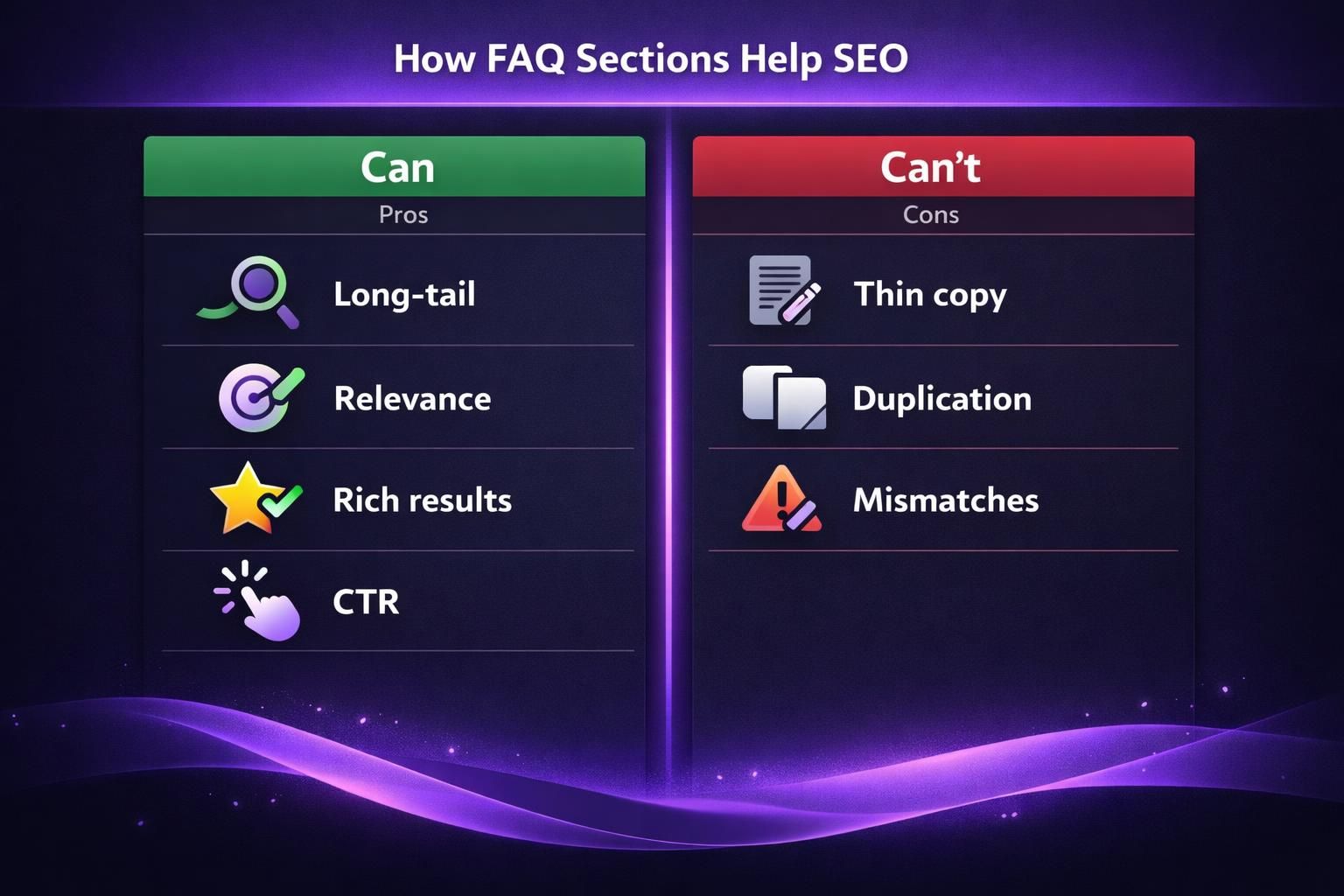
Here’s the practical angle. FAQs can help you rank for “question” keywords that sit close to purchase intent. These often include modifiers like “fit,” “work with,” “compatible,” “how long,” and “can I.”
For example, a skincare product page might add “Can I use this with retinol?” That query is common. It’s also a buying gate. If you answer it clearly, you may win both the click and the conversion.
FAQs also improve internal relevance signals. Your page becomes a better match for a wider set of intents. That matters when competitors have similar product specs.
For instance, two espresso grinders may share burr size and motor type. But one page answers “Is it loud in an apartment?” A shopper searches that exact phrase. Google finds a better match.
And yes, people still ask, are faq pages good for seo. They can be, but product page FAQs often pull more weight. They sit closer to the transaction. They also inherit the page’s existing authority and links.
So what does this mean in practice? Treat your product FAQ as on page SEO, not an afterthought. If you want a refresher on how that differs from backend work, skim on page versus technical SEO for context.
One warning is worth stating. Don’t create an FAQ section just to stuff keywords. Thin answers can hurt trust. They can also cause missed conversions.
For example, “How long is shipping?” with “Shipping varies” helps nobody. A better answer gives ranges by region, plus cutoff times, if you can.
What Makes a Good Product Page FAQ
A good product page FAQ is specific to that product, written in buyer language, and honest about constraints. It also avoids duplicating your policy pages word for word. You want clarity, not boilerplate.
Start with question selection. The best questions come from your own data. Pull them from support tickets, live chat logs, reviews, and return reasons.
For example, if returns often cite “not as soft as expected,” write “Is the fabric soft or structured?” Then answer with tactile specifics. Mention weave, thickness, and how it feels after washing.
Next, keep each answer tight. Two to four sentences usually works. Lead with the direct answer. Then add the detail that prevents follow up questions.
For instance, “Does it work with iPhone?” should start with “Yes, it supports iPhone via Bluetooth.” Then add “It also supports multipoint with one other device.” That second line matters.
A strong FAQ also respects brand and compliance limits. If you sell supplements, avoid medical claims. If you sell tools, include safety boundaries.
For example, a power inverter page might ask “Can it run a microwave?” Your answer should mention wattage limits. It should also warn about startup surge.
Now, think about cannibalization. Don’t turn the FAQ into a mini blog post. If you need a full guide, link to a guide page instead. But keep the answer useful on its own.
For instance, if “How do I clean it?” needs steps, give the short steps. Then link to the full care guide elsewhere on your site, if you have one.
If you’re also running a separate faq page seo strategy, keep roles clear. Your central FAQ page can cover brand wide questions. Product page FAQs should cover product specific questions.
For example, “What payment methods do you accept?” belongs on a global FAQ. “Does this model support USB C PD?” belongs on the product page.
How to Write FAQs That Rank
To write FAQs that rank, you need search shaped questions and intent matched answers that stay consistent with the rest of the page. The goal is relevance plus usefulness, not word count.
Start by mapping questions to intent layers. Some questions are “fit and compatibility.” Others are “risk and reassurance.” Others are “usage and setup.” Mix them, but keep the set tight.
For example, a camping tent page might include:
- Will this fit two wide sleeping pads?
- Can I pitch it in rain without soaking the inside?
- Does it include a footprint?
Those questions hit size, weather, and included items. They also match common search patterns.
Write the question the way people speak. Use “Does,” “Can,” “Will,” and “How.” Avoid internal jargon. Avoid model codes in the question unless shoppers use them.
For instance, don’t write “Is Model 4B compatible with accessory kit 9Q?” Write “Will this work with the stand sold separately?” Then mention model codes in the answer.
In the answer, front load the conclusion. Google and shoppers both reward that. Then add constraints, steps, or exceptions.
For example, “Can I machine wash it?” could start with “Yes, on cold and gentle.” Then add “Hang dry to prevent shrink.” That second line prevents complaints.
Also, watch for duplicate answers across variants. If you copy the same FAQ everywhere, you lose differentiation. You also risk internal competition.
For instance, if you sell three phone cases, each should answer camera lip depth or MagSafe strength differently. Even small differences matter.
Now add language that matches your page’s entities. If your product page uses “stainless steel,” don’t switch to “metal.” Keep term consistency. It helps relevance and avoids confusion.
For example, “Is it dishwasher safe?” should mention “top rack” if true. It should also specify lid versus body. People search those distinctions.
If you want a process that keeps writing consistent, build an on page checklist. A simple reference helps writers avoid missing key objections. For a broader template, see on page SEO checklist and adapt it to product pages.
FAQ Schema for Product Pages
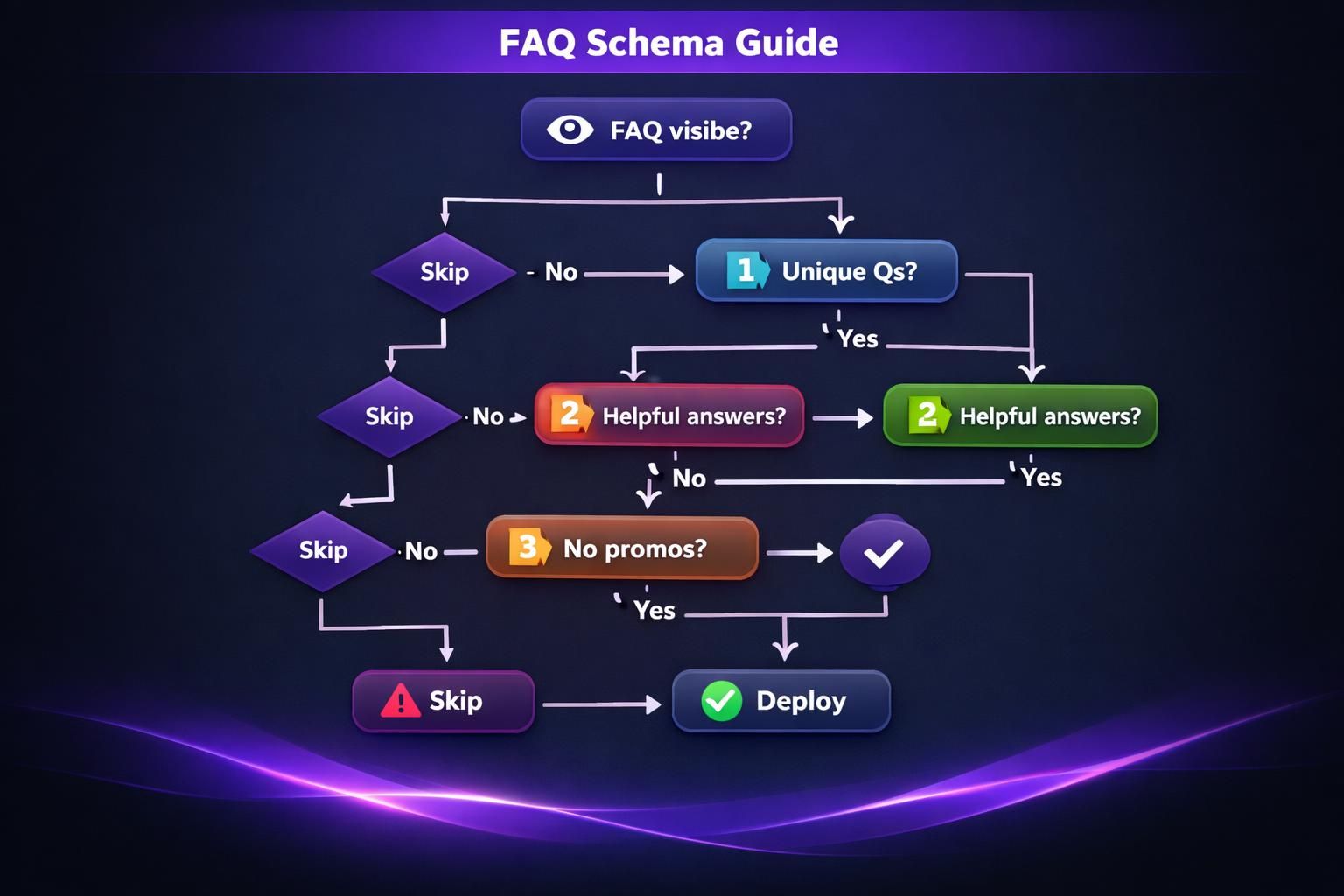
FAQ schema for product pages helps search engines understand your Q and A pairs, but only when the content is visible and matches the page. Schema isn’t a substitute for good writing. It’s a clarity layer.
Use FAQ schema when your questions are stable and genuinely helpful. Avoid it for dynamic support chat text. Avoid it for anything that changes by location in ways you can’t keep updated.
For example, if your return window differs by country, don’t hard code it in FAQ schema. Keep that in your policy flow. Or make the answer conditional by storefront, if your platform supports it.
Also, keep schema clean. Your questions should match the on page headings. Your answers should match the visible answer text. If they differ, you risk rich result issues.
For instance, don’t show “Yes, free returns” on page but put “Returns available” in schema. That mismatch creates confusion for users and crawlers.
If you’re already using Product schema, don’t jam everything into one blob. Keep FAQPage separate from Product when possible. And validate your output after template changes.
For example, a theme update might wrap FAQ items in hidden accordions. If the content becomes hidden, your schema may become risky. Keep it visible, even if collapsed.
If you use a plugin or generator, make sure it outputs valid JSON LD. It should also avoid duplicating FAQ schema on every page via global footer code. That duplication is common.
For a practical walkthrough on generating markup, this guide can help: generate schema markup. It’s useful when you need consistent output across many products.
Where to Place FAQs on a Product Page
The best place for FAQs is where they remove hesitation right before the next decision step. That usually means below core benefits, near specs, or close to pricing and delivery details. You’re trying to answer “wait, but what about…” at the right moment.
One common pattern is placing FAQs below the product description and above reviews. That works because shoppers often scan description, then look for social proof. FAQs act as a bridge.
For example, on a mattress page, shoppers read firmness claims. Then they worry about returns and off gassing. An FAQ placed before reviews can address those concerns before they scroll away.
Another pattern is placing a small “top 3 questions” block near the buy box. Keep it short. Link to the full FAQ section lower on the page.
For instance, an electronics page might show:
- Will this work with my TV?
- What cables are included?
- How long does setup take?
Then a “See all questions” anchor jumps to the full list.
Be careful with accordion behavior. Collapsed FAQs can still work, but make sure the text is in the HTML. Avoid loading answers only after a click if you rely on SEO value.
For example, if answers load via API after interaction, Google may miss them. Users on slow networks may also never see them.
Also, don’t let FAQs crowd out important conversion elements. If your page already has long charts, keep FAQs tight.
For instance, a camera lens page may already include MTF charts and sample photos. Your FAQ should focus on compatibility, weight, and filters. It shouldn’t repeat the spec table.
If you’re reworking templates, you may need to duplicate layouts for testing. In WordPress, this workflow matters. You can reference duplicate a page safely when you want controlled A B comparisons.
Tools to Generate FAQs for Product Pages
The best tools to generate FAQs are the ones that pull from real sources and keep outputs consistent across your catalog. Manual work still matters, but tools reduce blank page time. They also keep tone and structure aligned.
Start with sources that already reflect customer language:
- On site search queries
- Customer support tags
- Reviews and Q and A widgets
- Competitor SERP questions, used for inspiration only
- Merchandising notes from your team
For example, if site search shows “battery replacement,” that’s a strong FAQ candidate. It signals worry about lifespan. It also signals repairability.
Then pick a workflow. Some teams draft in a spreadsheet. Others draft inside the CMS. Either way, you need a review step for accuracy.
For instance, an apparel store might have a fit specialist approve sizing answers. A hardware store might need an engineer to approve load limits.
If you’re using a suite that generates question sets, keep editorial control. You want to remove redundant questions and add product specific constraints.
For example, a generator might suggest “What is the warranty?” for every SKU. That’s fine once. But your product page FAQ should also cover unique failure points.
If you’re building this at scale, a guided workflow helps. This overview is a solid starting point: on page SEO workflow. It helps you keep steps consistent across teams.
And if you specifically want help drafting questions from product data, this can fit: generate FAQs quickly. It’s useful when you have hundreds of SKUs.
Finally, validate outcomes. Track rankings for long tail queries. Track support ticket changes. Track conversion rate by template version. Those signals tell you if your FAQ is actually doing its job.
For example, if “Will this fit in carry on” starts driving entrances, watch whether those visitors buy. If they bounce, your answer may be unclear.
Conclusion
Integrating FAQs into product pages works because it answers intent level questions your main copy can’t cover well. It also gives search engines more context for long tail queries. Keep your questions product specific, keep answers direct, and add schema only when the content is visible. Your next step is simple. Pick one high traffic product, add six to eight real questions, and measure the impact. Do that consistently, and integrate faq in product pages seo becomes a repeatable on page habit, not a one off tweak.